
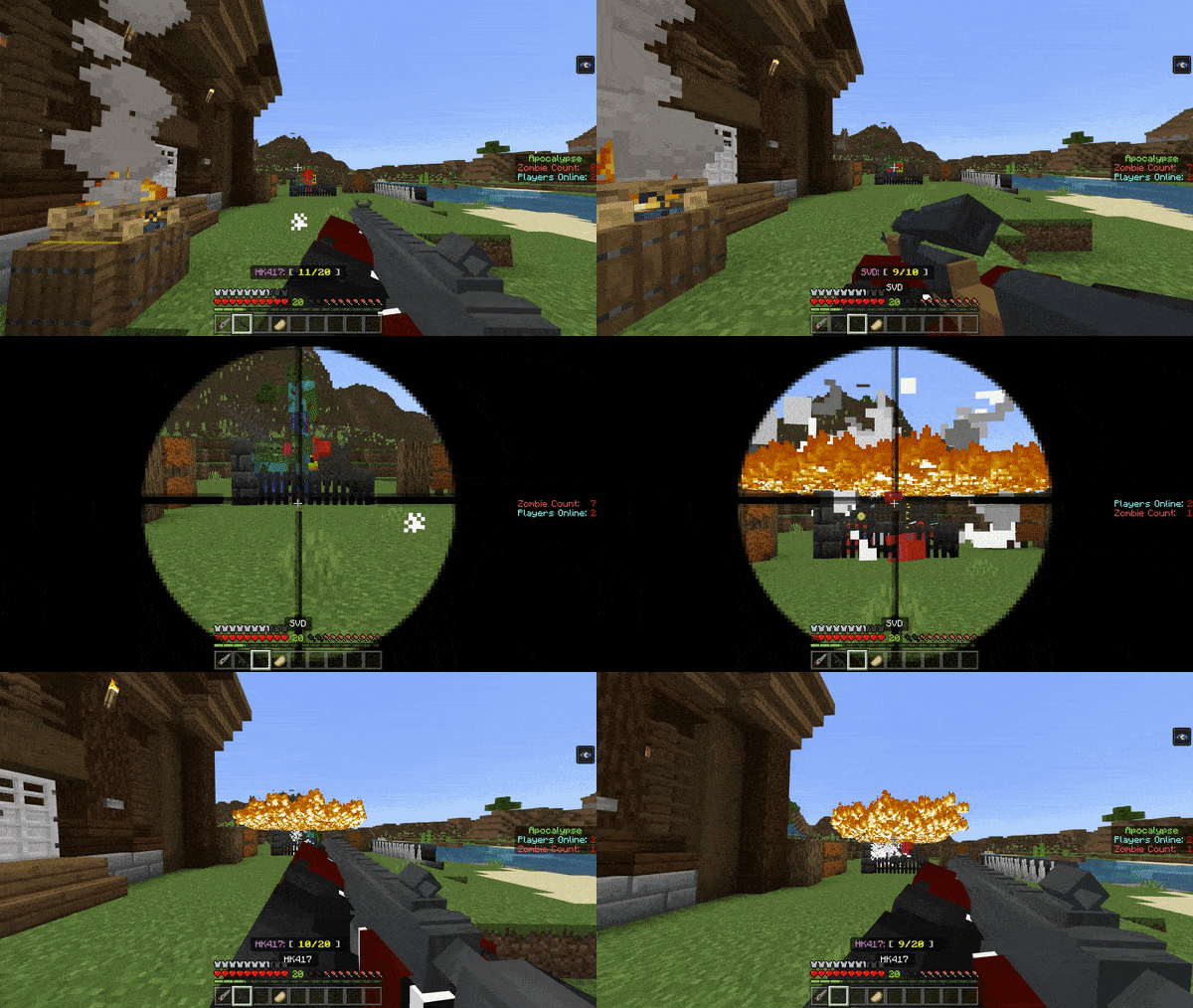
About Zombie Apocalypse Add-on
Created by By JuliusScizzor
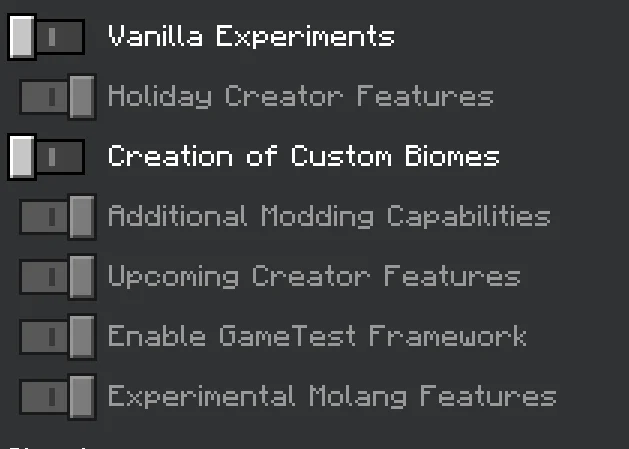
⚠️Turn on
- holiday creator features
- additional modding capabilities
- upcoming creator features
- enable gametest framework
- experimental Molang features
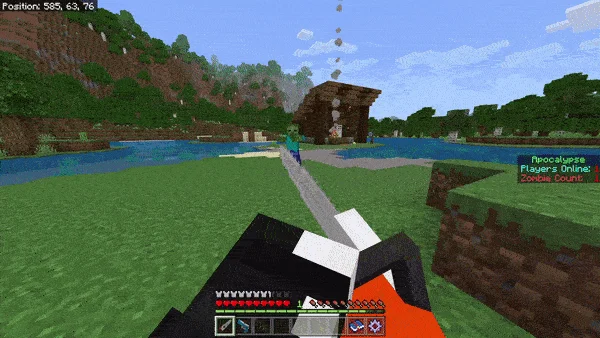
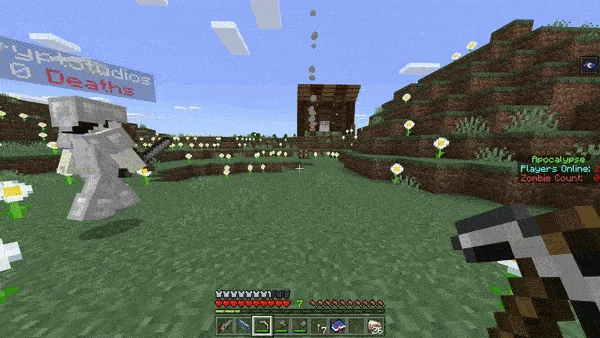
APOCALYPSE (add-on) brings the map's experience to your own worlds! Fend off hordes of zombies, buy weapons, utility, abilities or boosters at the Shop, or even build a fortress with your friends! Play survival and live on the edge with Hordes possibly spawning at any moment! Plus you can CHAINSAW zombies for ammo! This add-on features custom UI, 3D Weapons, custom zombies, blocks & more!
🟩Host System This add-on features a Host system. The very first player to join a world with this Add-On active will be the World Host.
All players will receive the following items when they first join the world
✅Full Iron Armour ✅Chainsaw ✅P250 Pistol ✅Personal Menu
The World Host will receive the following additional items
✅Host Menu ✅Fix item ✅Safehouse ✅Chück Mover
🟩Safehouse There can only be 1 safehouse in any world. Choose your location wisely! The safehouse as a chest with supplies, a crafting table and a furnace. The safehouse also contains Chück, the friendly shop keeper. He will load the chunks around him and he cannot be removed. Tap the Highscore Block or the Stats Block to view the World Highscores or World Stats respectively
🟩New Safehouse – Stronghold It has many starter items, lava generators for fuel (using dripstone) and even a small potato farm on the roof! Oh and it's no longer flammable.
🟩Shop Use Experience Levels to buy items! Some special items such as Boosters may cost different items such as Diamonds or Lapis Lazuli Blocks. Just simply right click / tap & hold Chück to open up the shop menu!
🟩Host Menu Here you can change some settings like Difficulty, Music, Hordes, Display, etc. You can access this menu anywhere. If it breaks try using the fix item.
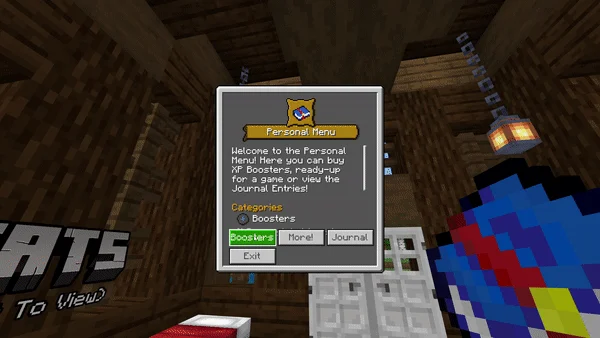
🟩Personal Menu You can access this anywhere. Here you can see the Credits, look at your stats, as well as learn about every zombie type!
Hordes have a random chance of spawning in your world. You can turn them on/off in the Host Settings menu.
Hordes will ONLY spawn on players who have NO BLOCKS above their head. So as long as you have a block somewhere above your head, you are safe from hordes.
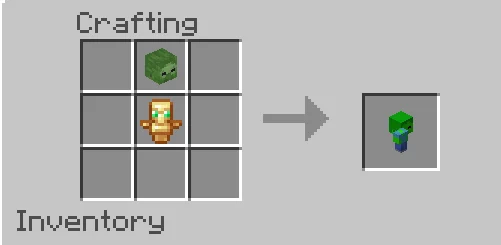
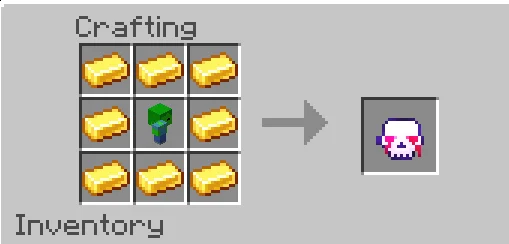
🟩Zombie Totem You can craft a Zombie Totem and summon hordes at your own will!
Zombie Apocalypse Add-on screenshots
How to install Zombie Apocalypse Add-on
- Download the .mcaddon file using the button on this page.
- Open the downloaded file with Minecraft Bedrock Edition.
- Wait for Minecraft to confirm that the import has completed.
- Activate the imported pack in the world settings.
- Back up important worlds before installing community content.
Download Zombie Apocalypse Add-on (1.20) Weapon for free


