
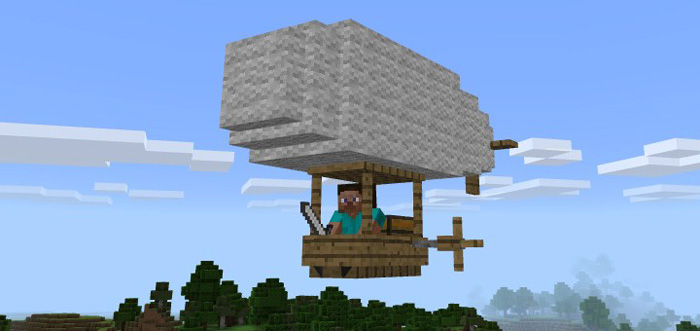
About Zeppelin Add-on
A Zeppelin is an airship which main usage is for transportation by air. It got room for just one player and you can also bring some food or other items on your trips since there’s a small storage container onboard. It’s really the ultimate vehicle for exploring and to experience the beauty of nature in Minecraft.
Creator: Gona
How to fly a Zeppelin? You can find Zeppelins spawning in plains biomes and forests (since they replace chickens). But you can also use the Zeppelin spawn egg to spawn one.
Make sure to take your seat inside the Zeppelin before you take off from the ground. (Throw a petrol can (replaces snowballs) at the Zeppelin to make it start flying.)
iOS / Android: Long press on the vehicle and press Ride Windows 10: Right-click on the vehicle to ride it Hold an iron sword in your hand to control the vehicle. You can fill it up with gas by throwing more petrol cans at the vehicle.
The inventory of the Zeppelin can be accessed in air by opening the normal inventory. You can also access it by sneaking, long press and clicking “Open”.
General Information
Replaces chickens Health: 20 hearts 27 storage slots Start flying by throwing petrol cans at it Hold iron sword to control it.
How to install Zeppelin Add-on
- Download the .mcpack file using the button on this page.
- Open the downloaded file with Minecraft Bedrock Edition.
- Wait for Minecraft to confirm that the import has completed.
- Activate the imported pack in the world settings.
- Back up important worlds before installing community content.
Download Zeppelin Add-on Transport for free


