
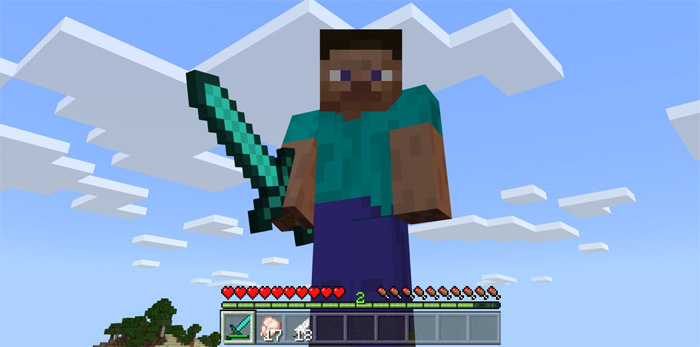
About XP Hotbar in Creative Pack
This is a resource pack which will enable the XP Bar to also be displayed in creative mode. Currently there is no in-game setting for it so the only way to enable it would be to use a resource pack like this one. There are different reasons why it would be useful but in the case of Assassiner 003 he needed it for his new map called “Animakerz”.
How to install XP Hotbar in Creative Pack
- Download the .mcpack file using the button on this page.
- Open the downloaded file with Minecraft Bedrock Edition.
- Wait for Minecraft to confirm that the import has completed.
- Activate the imported pack in the world settings.
- Back up important worlds before installing community content.
Download XP Hotbar in Creative Pack Textures for free
Preparing your download…
If the download did not start automatically, click here.


