
About WorldEdit
Created By SIsilicon
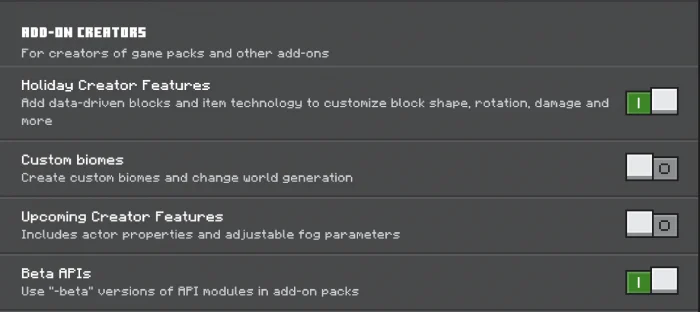
- Don't forget to enable experimental options in the map settings.
This is a Minecraft Bedrock addon port of the famous WorldEdit mod for Minecraft: Java Edition. The addon comes with custom commands to make building easier, and more fun! Not only that; there are also custom items to make it easier for anyone on any device to use this. Note: This addon relies on experimental features.
Usage Please read the quick start section in Settings > How to Play while playing in a WorldEdit enabled world, for a short guide on how the addon works.
Features
WorldEdit: Bedrock Edition has many of the important features that the original mod has. This includes, but not limited to:
Clipboard manipulation (Cut, Copy, Paste) A convenient WorldEdit kit to access common features Stacking and moving blocks and regions Rotating and flipping regions Powerful block patterns and masks Navigation commands Generating shapes; built-in and custom Creating walls, lines and outlines Smoothing terrain Undo and redo Filling and replacing blocks Painting with brushes Saving and loading structures across worlds (app required) Modify biomes (app required)
WorldEdit screenshots

How to install WorldEdit
- Download the .mcaddon file using the button on this page.
- Open the downloaded file with Minecraft Bedrock Edition.
- Wait for Minecraft to confirm that the import has completed.
- Activate the imported pack in the world settings.
- Back up important worlds before installing community content.
Download WorldEdit (1.19) Tools for free


