
About Working Quarry (Command Blocks)
This is a useful command block creation which lets you spawn a quarry machine which will automatically mine an area of 7×7 blocks and collect the item into a chest. Since it’s using command blocks it’s only possible to use this for worlds where you can enable creative mode since it’s required for obtaining the command blocks.
Creator: Jhomes
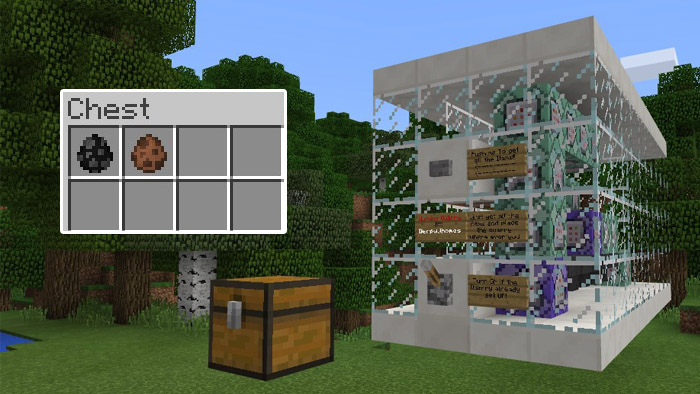
How does it work? Press the button on the side of the command block machine to spawn a chest. The chest contain the necessary items which you will need for spawning the quarry. Use the quarry (cow) spawn egg to build the quarry.
Then toggle the lever on the command block machine to start mining the blocks. All of the mined blocks will drop down the hopper into the chest. You can stop the machine from mining by using simply using the same lever again.
How to install Working Quarry (Command Blocks)
- Download the .zip file using the button on this page.
- Open the downloaded file with Minecraft Bedrock Edition.
- Wait for Minecraft to confirm that the import has completed.
- Select the imported world from the Minecraft world list.
- Back up important worlds before installing community content.
Download Working Quarry (Command Blocks) Redstone for free


