
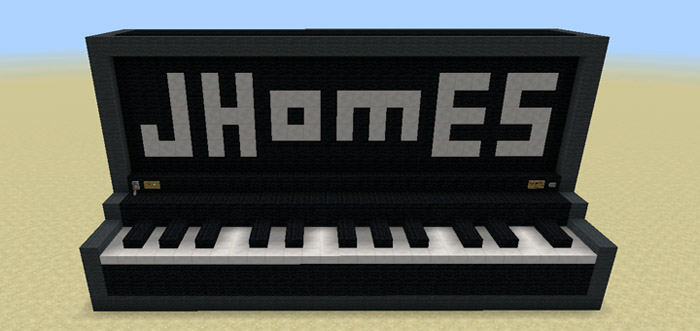
About Working Giant Piano (1.1.0.9 Only)
This is a fully working piano which can be played by stepping on the different keys. It’s a quite basic version seeing as it got just 27 keys (compared to 88 keys for a real piano) and it’s only the white keys which you can play. It’s nonetheless a fun creation to use in case you enjoy playing instruments and want to experience something similar to playing an instrument in Minecraft.
Creator: Jhomes
How to play the piano? First off you need to turn on the piano. The reason why you need to do this is because it’s powered by redstone and command blocks. Use the lever on the left side of the piano to do this.
Then just start stepping on the keys to start playing. You must step on the very edge of the keys in order for it to work properly.
Important: This map is limited to 1.1.0.9 beta users only.
How to install Working Giant Piano (1.1.0.9 Only)
- Download the .mcworld file using the button on this page.
- Open the downloaded file with Minecraft Bedrock Edition.
- Wait for Minecraft to confirm that the import has completed.
- Select the imported world from the Minecraft world list.
- Back up important worlds before installing community content.
Download Working Giant Piano (1.1.0.9 Only) (1.16) Creation for free


