
About Trading Skyblock
This is a much better version of the original skyblock survival map. It uses an addon as well as some clever tricks to let you access a store which can be used for buying and selling items which are obtained on the skyblock island. And if you find a way to survive and gather enough resources you will eventually be able to go to the End and fight the Ender Dragon.
Creator: StarkTMA
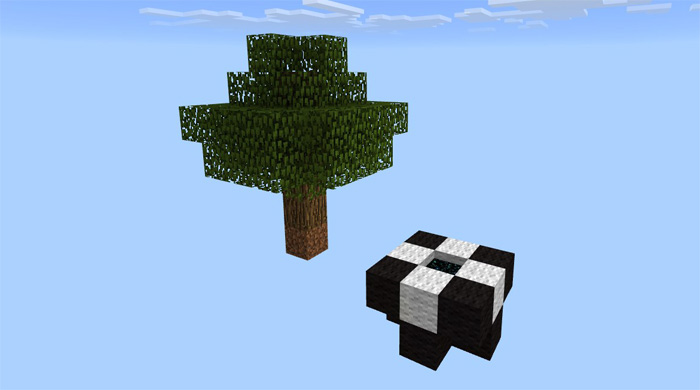
How to play? Jump into the end portal (and skip the End credits) to get to the skyblock island which at start only consists of a tree and a portal. The objective is to survive for as long as possible by using the few resources you’ve got and one day (if you make it for that long) fight the Ender Dragon.
Once you’ve obtained some items you can go to the Trading Area (by using the portal) and trade your items for emeralds. You can then use the emeralds to buy other items which are necessary for your survival on the skyblock island.
Eventually you will have gathered and crafted enough resources to ultimately be able to go to the End and fight the Ender Dragon. Go to the Trading Area and dig down at the obsidian floor. Then take the End Crystals from the chest. Find a way over to the big island (still in the End) and use the End Crystals to spawn the dragon. It’s also possible to enter the End Unlimited.
Rules Don’t break anything in the trading area besides the obsidian blocks Don’t make another portal when you are in the End, use the one you came from
How to install Trading Skyblock
- Download the .mcworld file using the button on this page.
- Open the downloaded file with Minecraft Bedrock Edition.
- Wait for Minecraft to confirm that the import has completed.
- Select the imported world from the Minecraft world list.
- Back up important worlds before installing community content.
Download Trading Skyblock (1.16) Survival for free


