
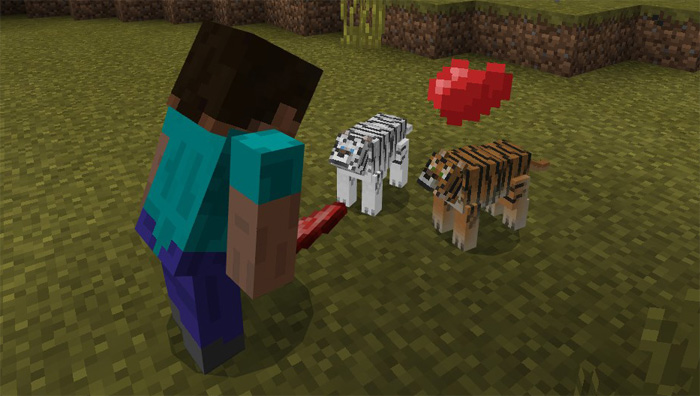
About Tiger Add-on
Tigers are beautiful animals in real life which now also can exist in your Minecraft worlds. At the same time that they add another threat your environment, it also comes with some positives. For example, you can tame a tiger and keep it as your loyal pet. It will follow you around and protect you against any threats.
Creator: Gona
How to tame a tiger? You can tame a tiger to be your obedient pet, but you can only tame babies. It behaves very similar to a wolf except that it will be more aggressively spontaneous so be careful if you want to avoid deadly accidents. (Feed it more meat to accelerate the growth progress. It replaces pigs.)
But for the most part you will notice multiple benefits of owning a tiger. For example, it will always attack anything that you are attacking such as spiders.
Keep your tamed tiger well fed! If not, it might attack your livestock such as sheep or cows. You have to remember that this is a wild animal and it has primal needs (such as hunger) which it cannot control the same way as a human.
As a whole, it’s definitely an animal which is very useful as it will keep you safe in most scenarios. You can keep as many tiger pets as you want. The white tiger spawns less often (10% vs 90%) compared to the normal tiger, but there are no difference between the two except for the their looks.
General Tiger Information
Replaces pigs Drops 0 – 2 raw tiger meat Custom sounds Custom item names Spawn chance Normal tiger: 90% White tiger: 10% Baby Wild Health: 5 hearts Passive Tameable with any type of raw meat or fish Tamed Health: 7.5 hearts Passive Adult Wild Health: 15 hearts Attack damage: 4 – 7 Attacks players, cows, sheep, horses, mules, donkeys, villagers, polar bears and undeads if they are hungry or if a player get too close to a cub Tamed Health: 20 hearts Follows and protects its owner Attacks cows and sheep when they are hungry
How to install Tiger Add-on
- Download the .mcpack file using the button on this page.
- Open the downloaded file with Minecraft Bedrock Edition.
- Wait for Minecraft to confirm that the import has completed.
- Activate the imported pack in the world settings.
- Back up important worlds before installing community content.
Download Tiger Add-on Animals for free


