
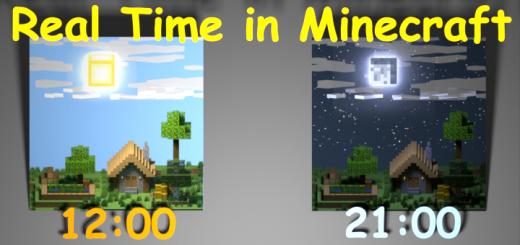
About Sync Minecraft time with Real Time
Created By sirob
This addon synchronizes the time in Minecraft with the real time on your device! Daytime outside, daytime in Minecraft!
Fully compatible with any other addon
⭐ Supports multiplayer
⭐ Very good performance (only 1 command run once per minute)
⭐ Ability to turn an addon on or off without restarting the world
======={ How to use }======= After entering the world with this addon you will see the following message:
This addon receives the time in UTC and does not know your local time. To fix this you need to specify your time zone.
How can I specify my time zone?
Just enter the command /function sirob_realtime_cfg and you will open a settings window
Click on the drop-down list and select your time zone
How to install Sync Minecraft time with Real Time
- Download the .mcpack file using the button on this page.
- Open the downloaded file with Minecraft Bedrock Edition.
- Wait for Minecraft to confirm that the import has completed.
- Activate the imported pack in the world settings.
- Back up important worlds before installing community content.
Download Sync Minecraft time with Real Time (1.19, 1.20) Gameplay for free
Preparing your download…
If the download did not start automatically, click here.


