
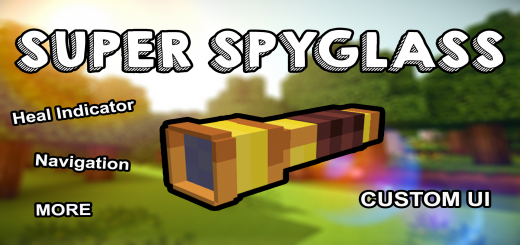
About Super Spyglass
Created By Mhafy.1016 Turn on experimental options in map settings
Minecraft spyglass is a unique tool, it grants the player an ability to view distant objects. But with this addon the SuperSpyglass adds new useful features to the old Minecraft spyglass.
Here are some of its features
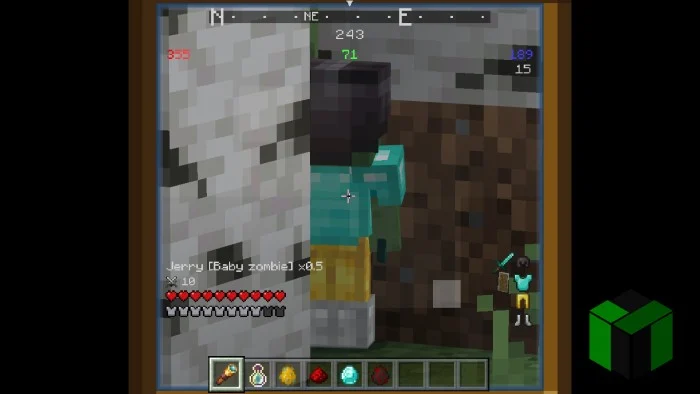
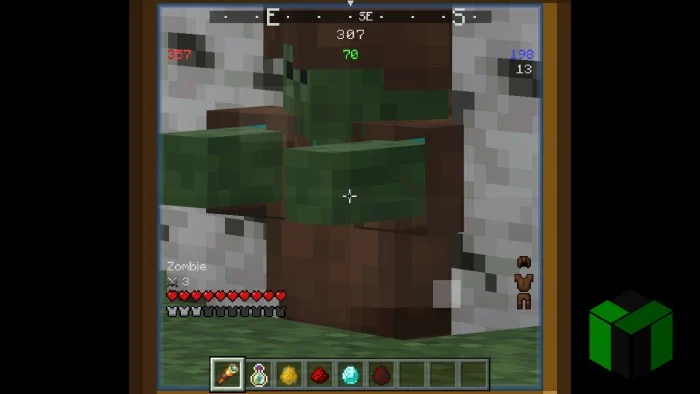
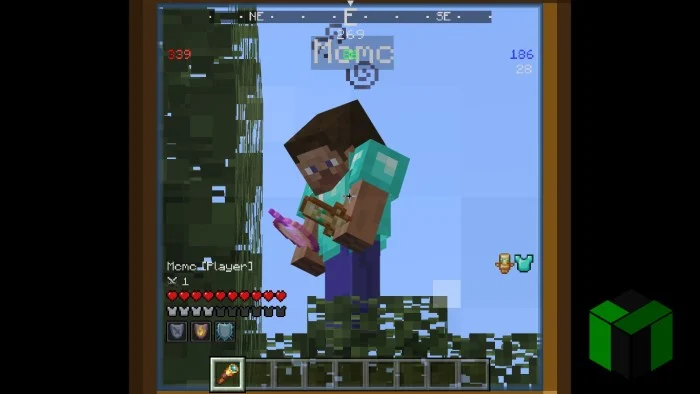
- Compass UI (Can help players orient themselves within the game world)
- Coordinate Panel (Displays the coordinate of the block/entity. The red is the x coordinate, green is y and blue is z)
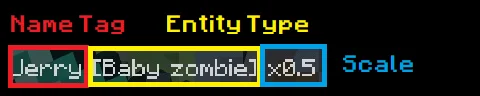
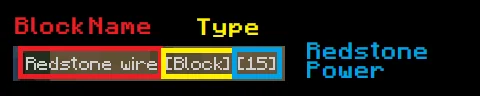
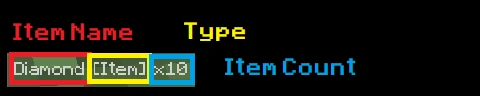
- Name Panel (Displays the name of the entity/block/item).
Name panel consists of several parts:
- On Entity (Scale only appear if the entity's scale is not equal to 1)
- On Block (Redstone power of appear if > 0)
- On Item (Item count only appear if > 1)
- Job Panel (Displays job/occupation of the entity (Currently only works to villagers).
Color Panel
- Displays the color of the entity (Currently only works to sheeps).
Level Panel
- Displays the current level, current exp and exp needed of the entity.
Only appear if the entity's level > 0.
- Damage Panel (Displays to current attack damage of the entity (Only works on vanilla entities).
Only appear if entity has attack damage).
- Health Panel (Displays the current health of the entity)
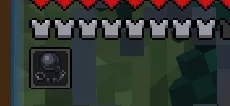
- Defense Panel (Displays the total defense of the entity)
- Effects Panel (Displays the current effects the entity has)
- Equipment Panel (Displays the item/equipment the entity equipped)
Super Spyglass screenshots



How to install Super Spyglass
- Download the .mcaddon file using the button on this page.
- Open the downloaded file with Minecraft Bedrock Edition.
- Wait for Minecraft to confirm that the import has completed.
- Activate the imported pack in the world settings.
- Back up important worlds before installing community content.
Download Super Spyglass (1.19, 1.20) Tools for free
Preparing your download…
If the download did not start automatically, click here.


