
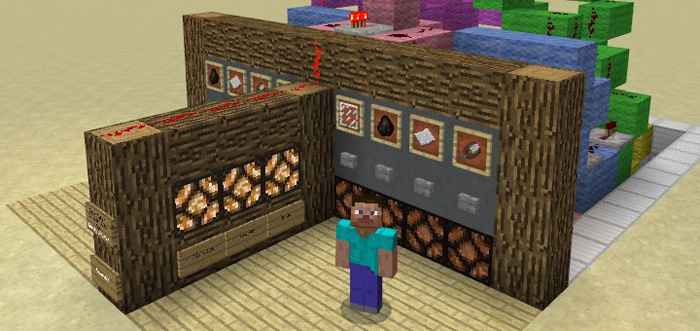
About Rock-Paper-Scissors
Rock-paper-scissors is a simple game which usually requires just two hands. But since your hands in Minecraft don’t offer the same flexibility as in real life some things, such as rock-paper-scissors gets impossible to play. But don’t worry! Here is a redstone solution which lets you play the game in Minecraft as well.
Creator: Jhomes
How to play? This map requires at least two players. It’s a very simple game mostly related to chance which I assume that most of you are familiar with but if you aren’t then go ahead and check out some guidelines here.
Use the buttons to select rock, paper or scissors.
The result will be displayed on the wall next to you. You can reset the game by pressing the glass button.
You can examine the redstone creation to get a better understand how it works. There are no explanations for it in-game but here’s a video detailing a similar structure.
How to install Rock-Paper-Scissors
- Download the .mcworld file using the button on this page.
- Open the downloaded file with Minecraft Bedrock Edition.
- Wait for Minecraft to confirm that the import has completed.
- Select the imported world from the Minecraft world list.
- Back up important worlds before installing community content.
Download Rock-Paper-Scissors (1.16) Minigame for free


