
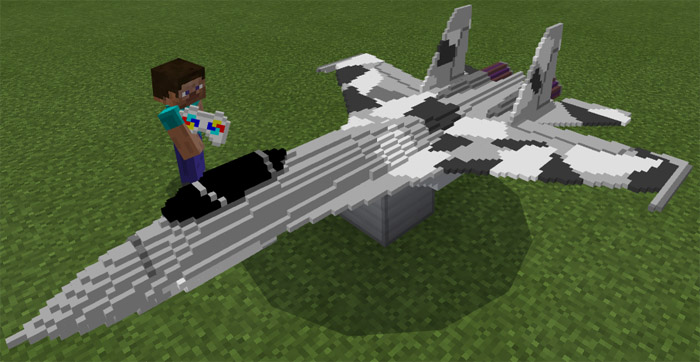
About Remote Controlled Aircraft Addon
This is a great addon which lets you experience (to a quite limited extent at this point) to fly a remote controlled aircraft. The airplane model is almost as big as a real airplane and it is very well designed. You can basically use it for flying except in this case you will be seated outside the aircraft and it will look as if you are controlling it using a remote control. It’s definitely a quite unique addon with some clever features.
Creator: Steve_And_Jobs
How does it work? The chicken is replaced by a toy aircraft. It’s quite enormous for being just a toy but that makes it more fun, I suppose.
Throw some petrol cans (snowballs) at the aircraft to make it start flying.
Then quickly grab the remote control and use it on the aircraft to start controlling it. Due to the extreme speed it’s moving upwards it doesn’t seem as if it is moving much forward (or whichever direction you intend to go).
iOS / Android: Hold a remote control (carrot on a stick), long press on the aircraft and press the ride button Windows 10: Hold a remote control (carrot on a stick) and right-click on the aircraft to control it You will be seated in mid-air behind the aircraft. It’s definitely best to stick to first-person view here because otherwise it will look slightly weird.
How to install Remote Controlled Aircraft Addon
- Download the .zip file using the button on this page.
- Open the downloaded file with Minecraft Bedrock Edition.
- Wait for Minecraft to confirm that the import has completed.
- Activate the imported pack in the world settings.
- Back up important worlds before installing community content.
Download Remote Controlled Aircraft Addon Transport for free


