
About Quarry (1.14|1.16)
- The addon only works with experimental game mode.
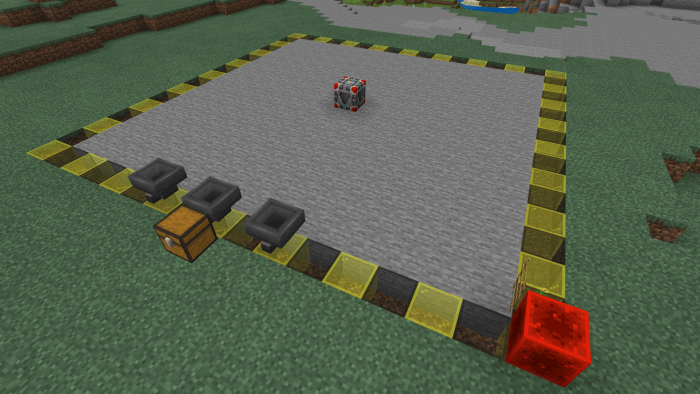
A block that extracts ores like diamonds, iron, coal, gold, red stone, emerald and everything that is found, such as stone, obsidian, dirt, etc. And of course, lava and water will not be a nuisance to the machine.
How to use the quarry block? Simply break the quarry block and a stone platform will automatically be created around the area.
Hoppers will also be added where all the items found in the excavation will fall.
After breaking the quarry block, all the blocks within the dig radius will break slowly until they reach the bedrock where the machine will finish digging.
Stairs will also be added to the side of the dig so the player can easily go down.
If you want to finish the excavation before reaching the bedrock, break the red stone block next to the excavation and the excavation will end.
How to install Quarry (1.14|1.16)
- Download the .mcpack file using the button on this page.
- Open the downloaded file with Minecraft Bedrock Edition.
- Wait for Minecraft to confirm that the import has completed.
- Activate the imported pack in the world settings.
- Back up important worlds before installing community content.
Download Quarry (1.14|1.16) Technology for free


