
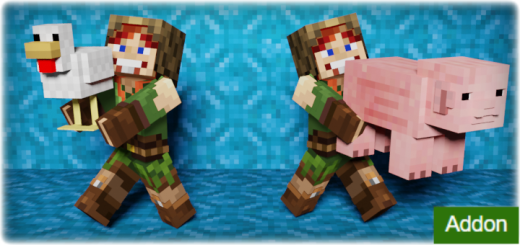
About Pick up and Carry
Created By sirob
- ☐ This addon uses player.json and is not compatible with other addons that also use it
☐ Your Minecraft version type is "release" and version 1.19.60 or higher. Only release versions are supported, in beta versions addon was not tested, and its correct work is not guaranteed!
☐ Enable these experiments: "Beta APIs", "Holiday Creator Features", “MoLang Features”
Pick up a player or a mob and carry it to the right place! Without entering any commands or using special items! All mobs and players are carryable! Even mobs from other addons!
Make sure you are not holding any item in your hands (mainhand & offhand)
Get as close to a mob or player as possible, look at it, then sneak and jump
To open the config window, enter this command: /function pickupcarry_config
Here you can configure
🔧Enable addon. Allows you to quickly enable/disable an addon without reloading the world. 🔧Rendering hands from 1st person. If disabled, 3D hands will not be rendered from 1st person. 🔧Slow down movement while carrying. If enabled, the slowness effect will be applied when carrying.
Pick up and Carry screenshots


How to install Pick up and Carry
- Download the .mcaddon file using the button on this page.
- Open the downloaded file with Minecraft Bedrock Edition.
- Wait for Minecraft to confirm that the import has completed.
- Activate the imported pack in the world settings.
- Back up important worlds before installing community content.
Download Pick up and Carry (1.19) Top for free


