
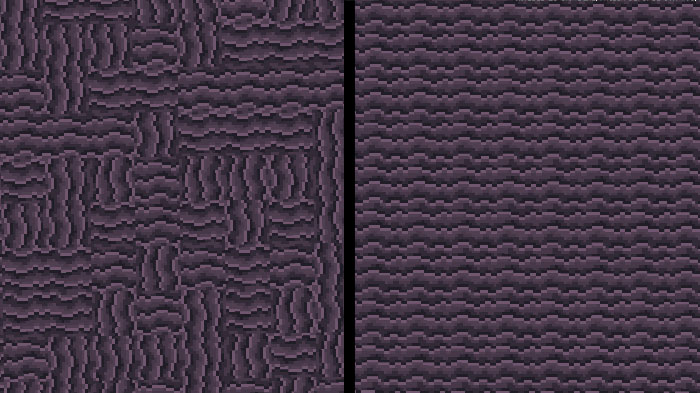
About No Random Block Rotation
This pack makes the game more aesthetically pleasing by stopping blocks from being randomly rotated. The examples below show this on top of the Halloween texture pack, as they’re the most noticeable, but it works with all packs which have this problem.
Creator: AgentMindStorm
Left Image: Original Right Image: No Random Rotation pack enabled.
Make sure that No Random Rotation pack is the parent resource pack or else it will not function as intended.
How to install No Random Block Rotation
- Download the .mcpack file using the button on this page.
- Open the downloaded file with Minecraft Bedrock Edition.
- Wait for Minecraft to confirm that the import has completed.
- Activate the imported pack in the world settings.
- Back up important worlds before installing community content.
Download No Random Block Rotation Textures for free
Preparing your download…
If the download did not start automatically, click here.


