
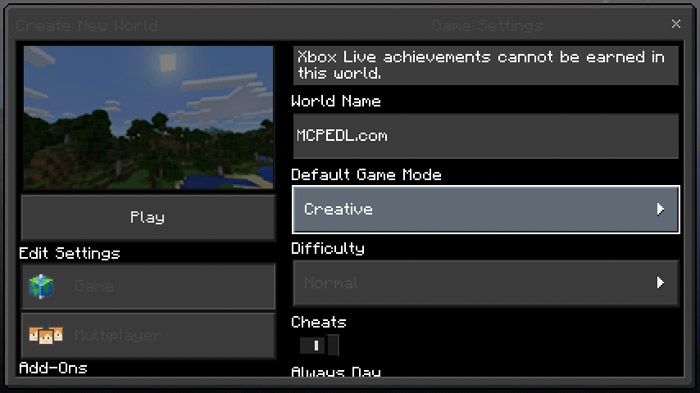
About Night Mode GUI
This texture pack changes the style for the user interface to be better suited for night time gameplay. All of the design elements such as buttons and menus have been changed to a much darker design which is an essential part for making it easier on the eyes. It’s a quite simple texture pack in that sense but it’s definitely useful for all you night owls out there!
Creator: Blue_Ninja, Twitter Account
How to install Night Mode GUI
- Download the .mcpack file using the button on this page.
- Open the downloaded file with Minecraft Bedrock Edition.
- Wait for Minecraft to confirm that the import has completed.
- Activate the imported pack in the world settings.
- Back up important worlds before installing community content.
Download Night Mode GUI Textures for free
Preparing your download…
If the download did not start automatically, click here.


