About Musk Rose Shaders
By YamaRin Skylec
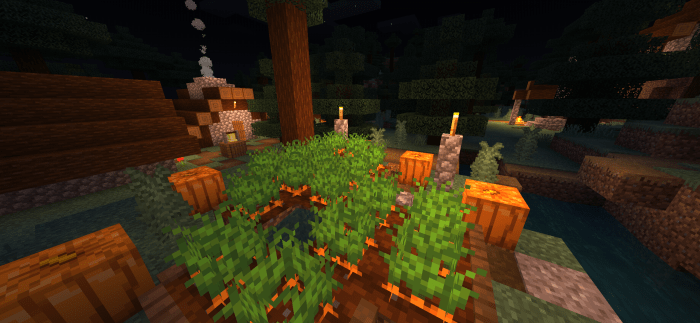
The Musk Rose, a brand-new shader pack for Minecraft Bedrock Edition, adds so many features that change the graphics of your game, such as lighting with realistic directional sun/moon/skylight, torchlight, realistic waves for water, and others!
Features
Beautiful sky with atmosphere scattering Vanilla-style nata de coco-like clouds Normal mapping for water waves and blocks Reflections on water and metallic blocks Skylight and torchlight Directional sun/moonlight Water waves and caustics Wet effect for rainy weather
Musk Rose Shaders screenshots


How to install Musk Rose Shaders
- Download the .mcpack file using the button on this page.
- Open the downloaded file with Minecraft Bedrock Edition.
- Wait for Minecraft to confirm that the import has completed.
- Activate the imported pack in the world settings.
- Back up important worlds before installing community content.
Download Musk Rose Shaders (1.16, 1.17, 1.18) for free
Preparing your download…
If the download did not start automatically, click here.