
About Mob Arena Battles 1: Revamped Edition
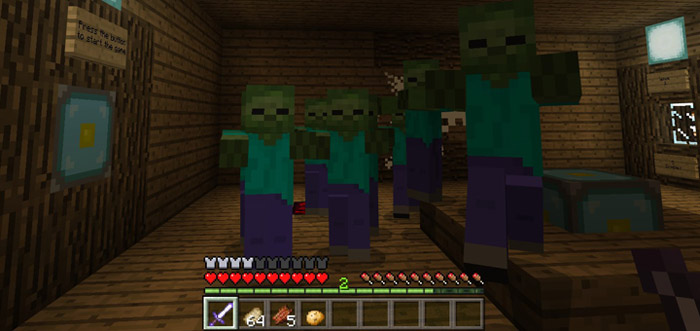
This is a PvE arena map where you are challenged to fight hostile mobs in four separate arenas. You can either team up with up to five friends or play it alone to harness your skills in battle. There are plenty of different classes (with unique kits for each) and it’s definitely one of the best maps you can play if you are up for a hard challenge.
Creator: Otonomega How to play? The first thing which you should do is to take some time to read the instructions in the lobby. Once you’re done with that then it’s time to select a class.
Swordsman Archer Support Water Mage Wizard
Don’t forget to set a difficulty level before ultimately starting the minigame.
The arena battle won’t really start until you’ve press a button in the arena for it to start. However, the waves are automatic so you have to be fairly quick to kill the enemies because quite soon another wave is going to spawn.
The only downside which perhaps could be fixed for another update or a sequel is to make the arenas larger. It gets crowded quickly, especially if you are multiple people playing the map. But that also surely creates some intense and fun gameplay.
Rules Don’t break blocks Don’t use commands No cheating Read all the signs Don’t spam the buttons News Mob Arena Battles 1: Revamped Edition is based on the original Mob Arena Battles 1 which is another map created by the same creator (but under a different name back then). This map was created to bring it back in a new flavor and a sequel are likely to come out soon!
This map includes some of the following improvements in comparison to the older maps.
Revamped lobby and arenas New redstone systems powered by command blocks Boss waves (they are very strong, resistance effect, more to come in the future) Less classes (but better) Reset system (work in process) Removed one arena Optimized the map (less lag) Automatic waves And more!
How to install Mob Arena Battles 1: Revamped Edition
- Download the .zip file using the button on this page.
- Open the downloaded file with Minecraft Bedrock Edition.
- Wait for Minecraft to confirm that the import has completed.
- Select the imported world from the Minecraft world list.
- Back up important worlds before installing community content.
Download Mob Arena Battles 1: Revamped Edition Minigame for free


