
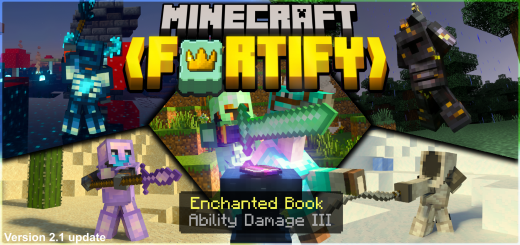
About Minecraft Fortify Addon
Created By WeeweeJuice
- Make sure to turn on "Holiday Creator Features", "Custom biomes", and "Molang Features!"
Minecraft Fortify – A combination of several different armor sets and tools, each with its own unique abilities!
Ability Damage Enchantment Rules
- The enchantment can only be enchanted on special weapons!*
(oxidized hammers, spears, daggers, whips, battleaxes, staffs, greatswords, maces, etc.)
- The enchantment books can be found in loot chests and villager trades!*
- The enchantment cannot be gotten from the enchantment table!*
List of where you can find the enchantment
- Ability Damage Enchantments I, II, & III in abandoned mineshafts (enchanted book)
- Ability Damage Enchantments I, II, & III in ancient cities (enchanted book)
- Ability Damage Enchantments I, II, & III in desert pyramids (enchanted book)
- Ability Damage Enchantments I, II, & III in jungle temples (enchanted book)
- Ability Damage Enchantments I, II, & III in monster spawner rooms (enchanted book)
- Ability Damage Enchantments I, II, & III in pillager outposts (enchanted book)
- Ability Damage Enchantments I, II, & III in simple dungeons (enchanted book)
- Ability Damage Enchantments I, II, & III in stronghold corridors (enchanted book)
- Ability Damage Enchantments I, II, & III in stronghold crossings (enchanted book)
- Ability Damage Enchantments I, II, & III in stronghold libraries (enchanted book)
- Ability Damage Enchantments I, II, & III in big underwater ruins (enchanted book)
- Ability Damage Enchantments I, II, & III in woodland mansions (enchanted book)
- Ability Damage Enchantments I, II, & III in librarian villager trades (enchanted book)
- Ability Damage Enchantments I, II, & III in weapon smith trades (on special weapons)
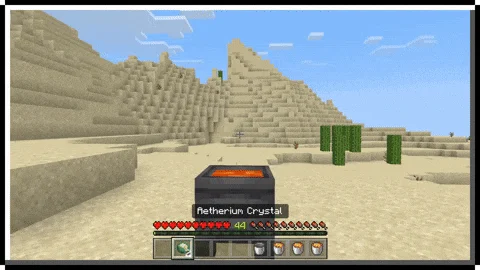
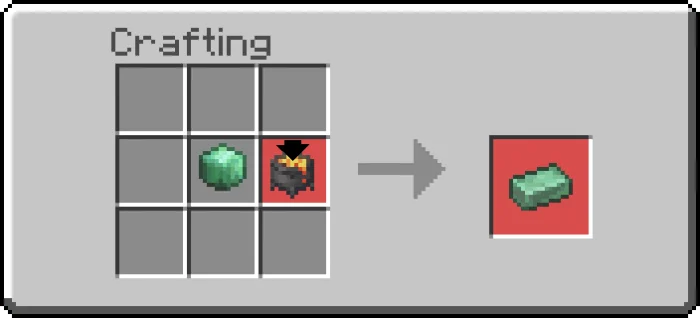
Minecraft Fortify Addon screenshots


How to install Minecraft Fortify Addon
- Download the .mcaddon file using the button on this page.
- Open the downloaded file with Minecraft Bedrock Edition.
- Wait for Minecraft to confirm that the import has completed.
- Activate the imported pack in the world settings.
- Back up important worlds before installing community content.
Download Minecraft Fortify Addon (1.19) Weapon for free
Preparing your download…
If the download did not start automatically, click here.


