
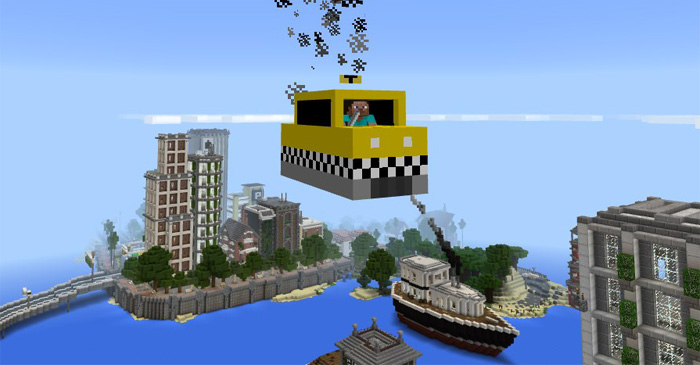
About Mine-Taxi Add-on
This addon replaces two of the mobs in-game with taxis and one of them is actually a flying car. It’s great for anyone who is disappointed that flying cars yet don’t exist in real life. But there is a drawback and that’s the fact it’s just room for one person per taxi. That’s definitely a disappointment seeing as the point of taxis is to support multiple people.
Creator: MicoLets_MC
How to use the taxis? The flying Mine-Taxi (replaces the blaze) is perfect to use for cities or other types of terrain where there might be a lot of obstacles in the way. Now you can just fly over them!
iOS / Android: Long press on the vehicle and press Drive Windows 10: Right-click on the vehicle to drive it Hold a key (carrot on a stick) in your hand to control the direction of the vehicle. It won’t start flying until you’ve filled it up with some gasoline. (Throw Bottle o’ Enchanting on the car.) You’ll need at least a few cans with you on a trip because they won’t last for very long.
If you are afraid of heights or just want an ordinary taxi then there’s a normal one as well. It replaces the creeper. It’s used very much the same as the flying car except that it doesn’t need gasoline to drive.
Hold they key (carrot on a stick) in your hand to control the direction of the vehicle. Sneak and long press on the vehicle to open the luggage and store some of your items there (27 slots).
How to install Mine-Taxi Add-on
- Download the .mcpack file using the button on this page.
- Open the downloaded file with Minecraft Bedrock Edition.
- Wait for Minecraft to confirm that the import has completed.
- Activate the imported pack in the world settings.
- Back up important worlds before installing community content.
Download Mine-Taxi Add-on Transport for free


