
About Mine-Cargo Add-on
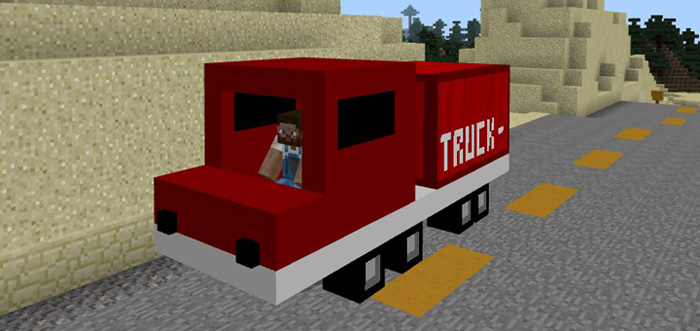
This add-on adds a big and bulky cargo truck to the game. It’s perfect for anyone who loves trucks or if you need a vehicle which can manage transportation of items and blocks in Minecraft much more efficiently than let’s say a horse or donkey.
Creator: MicoLets_MC
How does it work? The creeper is replaced by a big, red cargo truck which is limited to one person only. You can find it spawning in most terrains in the Overworld. It’s not as fast as other vehicles, but it’s still pretty cool.
iOS / Android: Long press on the vehicle’s shadow and press Drive Windows 10: Right-click on the vehicle’s shadow to drive it You will need to hold a carrot on a stick in your hand to start driving and point in the direction you want to be going.
The cargo truck has 27 available storage slots which can hold a total number of 1664 items or blocks. But it doesn’t really differentiate much other from other vehicles.
How to install Mine-Cargo Add-on
- Download the .mcpack file using the button on this page.
- Open the downloaded file with Minecraft Bedrock Edition.
- Wait for Minecraft to confirm that the import has completed.
- Activate the imported pack in the world settings.
- Back up important worlds before installing community content.
Download Mine-Cargo Add-on Transport for free


