About Lynx Deferred PBR
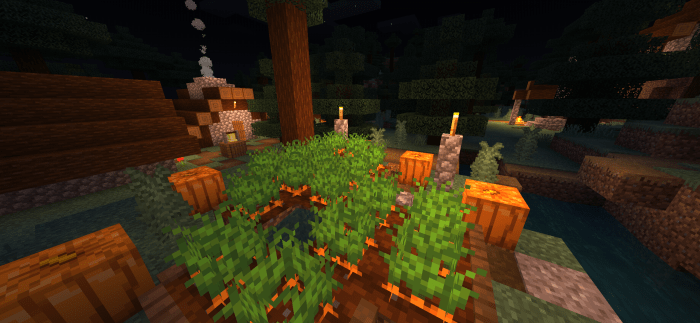
Custom Graphics Modes: Lynx Deferred PBR offers a versatile selection of graphics modes, allowing you to fine-tune your Minecraft world's appearance. Whether you prioritize performance or crave the highest quality visuals, Lynx has you covered. Vivid Visual Enhancements: Experience vivid and immersive visuals that breathe life into your Minecraft world. With Lynx Deferred PBR, even the most mundane landscapes transform into captivating scenes. Smooth Performance: Lynx Deferred PBR's Ultra-performance mode ensures you get the most out of your game without sacrificing smooth gameplay.
Lynx Deferred PBR screenshots


How to install Lynx Deferred PBR
- Download the .mcpack file using the button on this page.
- Open the downloaded file with Minecraft Bedrock Edition.
- Wait for Minecraft to confirm that the import has completed.
- Activate the imported pack in the world settings.
- Back up important worlds before installing community content.
Creator: Smasherxs
Download Lynx Deferred PBR (1.20) Shaders for free
Preparing your download…
If the download did not start automatically, click here.