
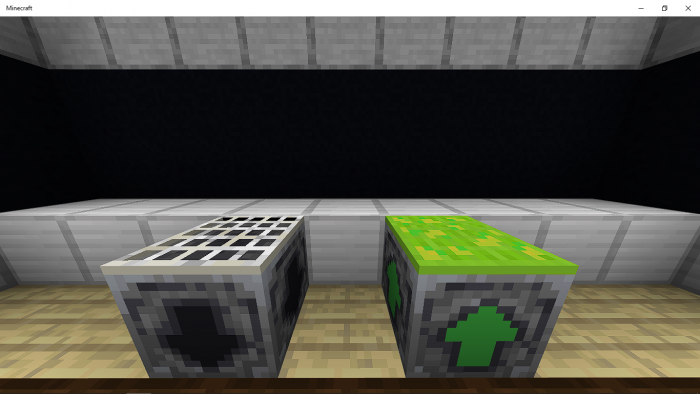
About Levels Storage
Created By Amon28
- Turn on experiments in map settings!
Do you always want a way to store your levels for use later? Always dying and you want to save your levels? This addon just adds that! with the use of 2 new blocks the Level drain and the Level infuser.
These 2 new blocks will help you store and gain your levels back. The levels are not stored inside the block itself but the level stored is different per player.
How to use
Standing on top of the Level Drain block will drain your levels.
Standing on top of the Level infuser will gain back the levels you stored.
To see how many levels you have stored right click/interact on the block.
Sneaking and interacting/right clicking on the blocks will allow you to change their drain/gain speed.
Levels Storage screenshots
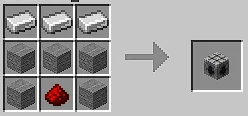
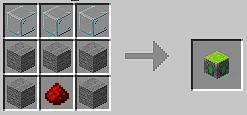
How to install Levels Storage
- Download the .mcaddon file using the button on this page.
- Open the downloaded file with Minecraft Bedrock Edition.
- Wait for Minecraft to confirm that the import has completed.
- Activate the imported pack in the world settings.
- Back up important worlds before installing community content.
Download Levels Storage (1.20) Tools for free


