
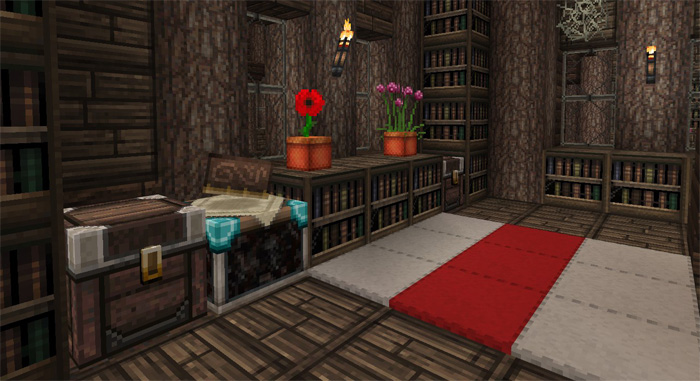
About John Smith Legacy JimStoneCraft Edition
This is a modified version of the John Smith Legacy resource pack. JimStoneCraft redesigned the pack to make it more to his liking and hopefully you’ll like what you see and download it for yourself. The texture pack is best suitable for medieval builds or any time that you want a more robust or rustic design.
Credits: This port has been created from the original resource pack from JimStoneCraft, JohnSmith and JohnSmith Technician’s Remix (JSTR) – Do not host these files behind a paywall. JimStone is not responsible for supporting this port of his pack. All support must be made to the ports Github issue tracker found here. Ported by: NoobTaco
How to install John Smith Legacy JimStoneCraft Edition
- Download the .mcpack file using the button on this page.
- Open the downloaded file with Minecraft Bedrock Edition.
- Wait for Minecraft to confirm that the import has completed.
- Activate the imported pack in the world settings.
- Back up important worlds before installing community content.
Download John Smith Legacy JimStoneCraft Edition 32×32 for free
Preparing your download…
If the download did not start automatically, click here.


