
About Hospital (1.1.0.9+ Only)
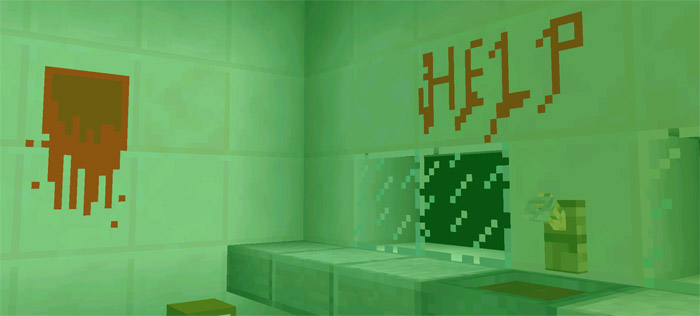
You wake up and find yourself in a hospital, but it’s soon clear that it’s not an ordinary hospital. The lights are almost completely out and it’s barely possible to see anything. But don’t worry, there’s a night vision camera in one of the chests to help you see better. But the question is, do you really want to see see the things around you? It’s going to be scary, I promise you. Jump scares are inevitable!
Creator: Piekabee
How to play? It’s quite dark all throughout the map. If you don’t like the dark then find the camera in a chest and use it to easier navigate around the hospital and find a way out. You can use the camera simply by tapping with it on the ground. There is a limited battery length for each camera so make sure to use them sparingly.
Important: This map is limited to 1.1.0.9 beta users only.
The camera user interface (battery icon, REC text) will only be visible for smaller devices. Don’t worry though, it doesn’t really have any use so it doesn’t matter. On tablets you might only see the green area.
How to install Hospital (1.1.0.9+ Only)
- Download the .zip file using the button on this page.
- Open the downloaded file with Minecraft Bedrock Edition.
- Wait for Minecraft to confirm that the import has completed.
- Select the imported world from the Minecraft world list.
- Back up important worlds before installing community content.
Download Hospital (1.1.0.9+ Only) Horror for free


