
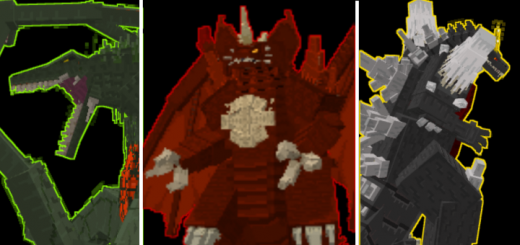
About Godzilla Greatest Enemies
Created By Monster122
- Turn on Holiday Creators Features!
This addon I will introduce you the Three best Godzilla enemies from the heisei era with some twist.
✅Destroyah When dies he transform into more powerful version enough to withstand Burning Godzilla's attack. Health:1890000 Attack:38000 Horn slice:100000 Oxygen Beam(per hit):38000
✅Shin Destroyah More powerful than the default one But because of that transformation he can't Regenerate himself. Health:77700000 Attack:580000 Horn slice:950000 Super oxygen Beam (per hit):989500 Chest beam (per hit):8995500
✅Space Godzilla A Celestial version of Godzilla, when he dies he can transform into the Charged version. Health:1990000 Attack:38000 Crystal attack:18000 Corona beam (per hit):37000 Super Corona beam (per hit):41000
✅Charged space Godzilla The charged version of space Godzilla. Health:2750000 Attack:40000 Crystal attack:18000 Super Corona beam (per hit):41000 Lightning beam(per hit):40000
✅Biollante A mutated Plant Kaiju Ready to Destroy Godzilla. Health:1790000 Attack:37200 Vine attack:37200 Pull attack:18000 Bite:45000 Poison beam (per hit):38000 Note: When she dies she can revive herself into Form-1 making her Immortal, the only thing you do to Is to Kill the Form-1 so she can't revive herself.
✅Photon armor The strongest and only Armor in this addon, can withstand Burning Godzilla's attack and shin Destroyah.
✅Photon star After crafting some plenty of Photon stars, you can now craft the chestplate. After that you can combine it with obsidian and Photon helmet to have a full product
✅Oxygen Sword A weapon that can kill any titan.
✅Super Oxygen sword Enough to kill Shin Destroyah
Godzilla Greatest Enemies screenshots


How to install Godzilla Greatest Enemies
- Download the .mcaddon file using the button on this page.
- Open the downloaded file with Minecraft Bedrock Edition.
- Wait for Minecraft to confirm that the import has completed.
- Activate the imported pack in the world settings.
- Back up important worlds before installing community content.
Download Godzilla Greatest Enemies (1.17, 1.18, 1.19) Bosses for free


