
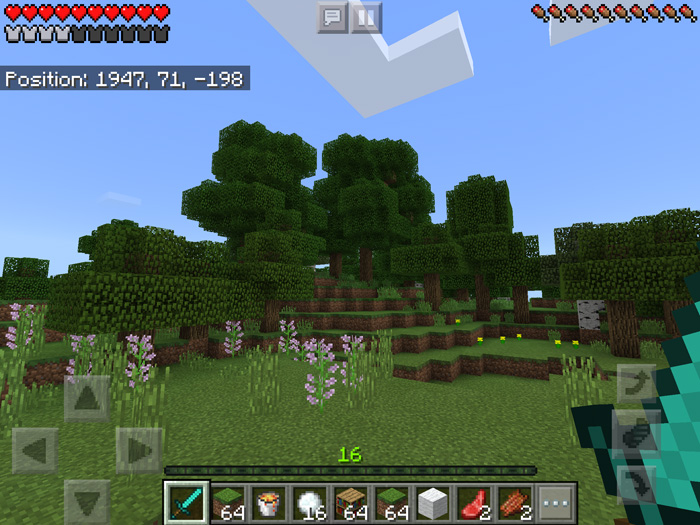
About FakeSurvival (Survival GUI in Creative)
FakeSurvival is a resource pack which adds the survival graphical user interface to creative mode. This includes the health, armor, hunger and experience bars as well as item counts for all items or blocks displayed in the hotbar. The use cases for this particular resource pack aren’t entirely clear, but hopefully someone can find some use for it.
Ported by: RyFol
Features Health bar Armor bar Hunger bar Experience bar Item counts
How to install FakeSurvival (Survival GUI in Creative)
- Download the .mcpack file using the button on this page.
- Open the downloaded file with Minecraft Bedrock Edition.
- Wait for Minecraft to confirm that the import has completed.
- Activate the imported pack in the world settings.
- Back up important worlds before installing community content.
Download FakeSurvival (Survival GUI in Creative) Textures for free
Preparing your download…
If the download did not start automatically, click here.


