
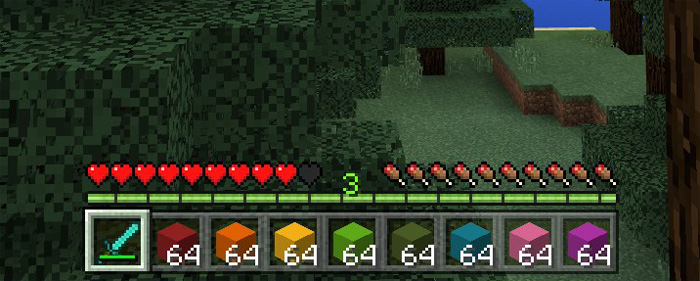
About Experience Creative Visible Pack
This is a resource pack which changes so that you can see the experience bar in creative mode. Even though you switch to creative mode the experience points will remain until you’re killed. So if you for some reason want to keep track of this information while you’re in creative then use this resource pack.
Creator: Jason Metch, Twitter Account
How does it work? It’s a quite simple change which modifies the user interface in creative. It simply adds the XP bar (from survival mode) to creative.
How to install Experience Creative Visible Pack
- Download the .mcpack file using the button on this page.
- Open the downloaded file with Minecraft Bedrock Edition.
- Wait for Minecraft to confirm that the import has completed.
- Activate the imported pack in the world settings.
- Back up important worlds before installing community content.
Download Experience Creative Visible Pack Textures for free
Preparing your download…
If the download did not start automatically, click here.


