
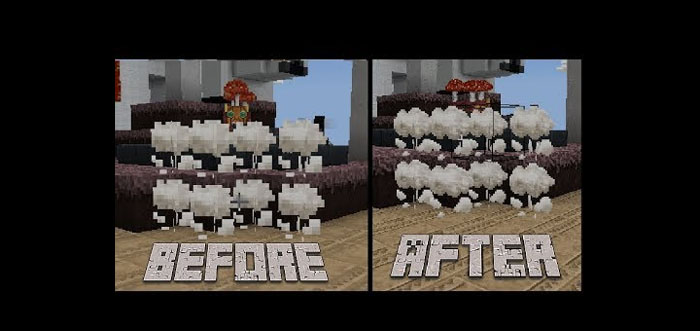
About Down Scale Destroyer
This pack allows low-end devices to use 32×32 textures. With the release of 1.1 they made it so devices without a certain amount of available memory can’t use 32×32 textures. There was a small backlash on Twitter towards Mojang and pack creators (an example would be people tweeting at the people that made the Fiathful for Bedrock on this site complaining that the textures are “blurry”).
Not many people have spoken about this since 1.1 until the release of 1.2.20.1 which added Education Edition mode which made the textures on most phones go from 16×16 to 8×8 when enabled.
Creator: Vegito72 Updated: 5 May, 2018 (fixed manifest.json, added support for 1.5.0.1 beta)
How does it work? After you’ve enabled the resource pack in-game and restarted the game then the previously non-working texture pack(s) should be working with the right resolution.
How to install Down Scale Destroyer
- Download the .mcpack file using the button on this page.
- Open the downloaded file with Minecraft Bedrock Edition.
- Wait for Minecraft to confirm that the import has completed.
- Activate the imported pack in the world settings.
- Back up important worlds before installing community content.
Download Down Scale Destroyer Textures for free


