
About Dead by Daylight PE
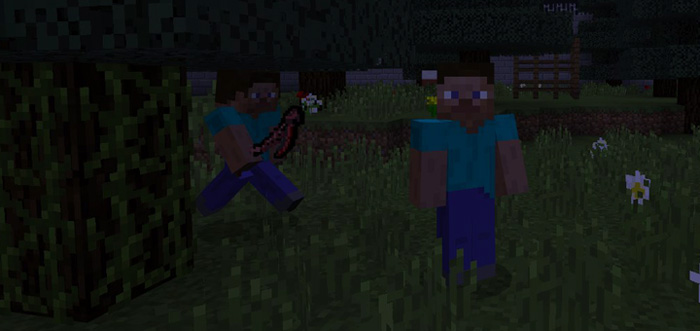
Dead by Daylight PE is a multiplayer survival minigame based on a video game with the same name. The map features a 100 x 100 blocks game area where survivors have to activate 5 different generators to be able to open a gate and escape. All of this needs to happen while avoiding and hiding from the Killer (which is a role assigned for another player).
Creator: WalkerTyme
How to play? This map is recommended for 2-5 players. Wait in the lobby for everyone to spawn before assigning everyone a role. The most fair option is to randomize the killer. Survivor – Your mission is to activate the generators and the ultimately escape out of the gate. Killer – You’re equipped with a scythe and your task is to slay the other players before they escape. Do not let them activate the generators!
The minigame takes place in an old forest (100×100 blocks) in the middle of the night. The killer’s task is to slay the other players.
Survivors have to continuously run from one generator to another to activate them. Stay near the generators when activating them.
You’ll know it is powered when it lights up. Then the survivors will need to activate the remaining generators.
The gate will only be able to open once the survivors have activate all five generators.
How to install Dead by Daylight PE
- Download the .zip file using the button on this page.
- Open the downloaded file with Minecraft Bedrock Edition.
- Wait for Minecraft to confirm that the import has completed.
- Select the imported world from the Minecraft world list.
- Back up important worlds before installing community content.
Download Dead by Daylight PE Minigame for free


