
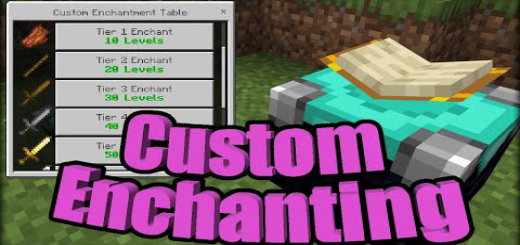
About Custom Enchanting
Created By Vatonage This addon adds a new enchantment table called the custom enchantment table. This lets you add custom enchantments to any sword, including any modded or vanilla weapon. You can select from level 1 to level 10 custom enchants and the enchants range from anything to poison to lightning. There are a total of 10 custom enchants.
Enchantments
- Melting Enchantment (max 1)
- Lightning Enchantment (max 1)
- Exploding Enchantment (max 1)
- Levitating Enchantment (max 10)
- Lifesteal Enchantment (max 10)
- Poison Enchantment (max 10)
- Absorbing Enchantment (max 1)
- Wither Enchantment (max 10)
- Slowing Enchantment (max 10)
- Enchant DMG Enchantment (max +20 attack damage)
When you select an enchantment it will take the levels and will add one enchantment of the level you select. If it can't add any enchantments then it does not take your levels.
Enchantment Buttons
- Tier 1 Enchantment (10 levels to enchant)
- Tier 2 Enchantment (20 levels to enchant)
- Tier 3 Enchantment (30 levels to enchant)
- Tier 4 Enchantment (40 levels to enchant)
- Tier 5 Enchantment (50 levels to enchant)
- Tier 6 Enchantment (55 levels to enchant)
- Tier 7 Enchantment (60 levels to enchant)
- Tier 8 Enchantment (65 levels to enchant)
- Tier 9 Enchantment (70 levels to enchant)
- Tier 10 Enchantment (75 levels to enchant)
To fully enchant a sword you will need hundreds of levels. To get these levels more easily you should download the Basic Machinery addon and make an EXP Generator.
Custom Enchanting screenshots

How to install Custom Enchanting
- Download the .mcaddon file using the button on this page.
- Open the downloaded file with Minecraft Bedrock Edition.
- Wait for Minecraft to confirm that the import has completed.
- Activate the imported pack in the world settings.
- Back up important worlds before installing community content.
Download Custom Enchanting (1.19) Magic for free


