
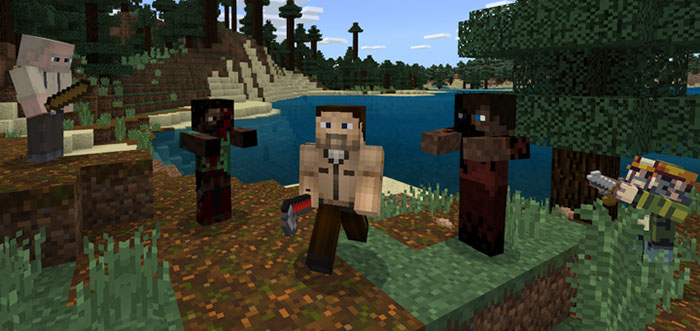
About Crafting Dead
This addon is a remake of the mod for Java Edition called “Crafting Dead”. RedstoneLover decided to create it after he had watched Pat and Jen play the Java mod. The add-on includes several elements which you would recognize if you’ve ever watched The Walking Dead which is a very popular TV show about people surviving a zombie apocalypse. Some features include new zombies like the Walker and Runner and also new weapons.
Creator: RedstoneLover Updated: 2 June, 2018 (read changelog)
Mobs Walker – Replaces normal zombie, no longer burns in day light, slowed down, same health (20 points) Runner – Replaces husk zombie, fast, rarely leaps at player (bug), less health (15 points) Survivors – Replaces skeletons, will help kill zombies but neutral to players.
Melee Weapons Baseball Bat – Wooden Sword Crowbar – Stone Sword Fire Axe – Iron Axe Samurai Sword – Iron Sword Bowie Knife – Replaces Golden Sword Chainsaw – Replaces Diamond Axe Diamond Samurai Sword – Replaces Diamond Sword The sprites and ideas for the melee weapons were all obviously taken away from the original mod, the sprites are custom, but are based on the high-resolution original sprites.
Ranged Weapons (Guns) Pistol – Replaces bow, uses bullets (Arrows) Throwing Knife – I LOVE this one, it replaces the snowball. And deals 5 damage (Stone Sword Atk Damage) Rifle – My favorite! It replaces the ender pearl, and is really accurate (try turning on the pc crossfire) It has a cooldown. None of the ranged weapons were taken from the original. “That’s IT!?” I hear you saying. But with addons you can only replace current items…There’s nothing we can do about that.
Changelog
v4
Additions
Bowie Knife – Replaces Golden Sword Survivors – Replaces skeletons, will help kill zombies but neutral to players. Chainsaw – Replaces Diamond Axe Mega TNT – Longer fuse, Bigger radius Changes:
Samurai Sword – Now replaces iron sword instead of diamond sword. Diamond Samurai Sword – Replaces diamond sword.
How to install Crafting Dead
- Download the .mcpack file using the button on this page.
- Open the downloaded file with Minecraft Bedrock Edition.
- Wait for Minecraft to confirm that the import has completed.
- Activate the imported pack in the world settings.
- Back up important worlds before installing community content.
Download Crafting Dead Mobs for free


