
About Compact HUD
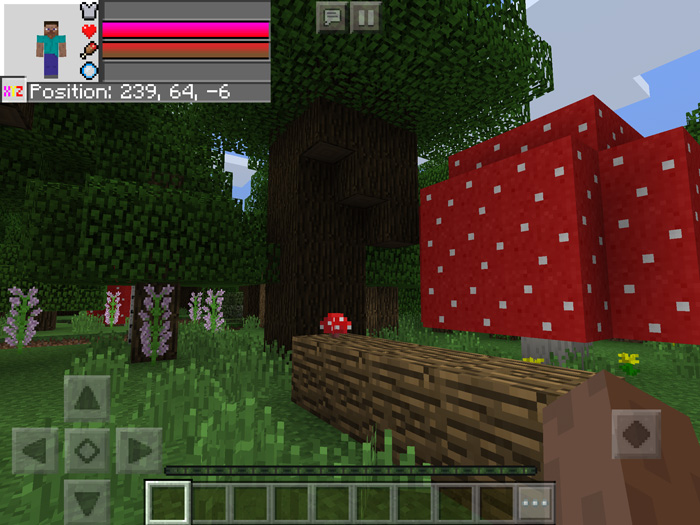
This resource pack adds a much more simplistic GUI to the game. All of the most necessary information has been compiled and positioned to be displayed in the top left corner of the screen. This information includes a player doll, a health and armor bar, hunger bar, drowning bar and X, Y, Z coordinates. It’s a great way to quick and easy access the most necessary data.
Creator: Wartave Updated: 20 February, 2018 (read changelog)
How does it work? The Compact HUD (short for heads up display) is displayed on screen as soon as the resource pack has been enabled in your Global Resources in Settings. It’s only visible in survival mode.
The HUD displays the following information
Armor Health Hunger Drowning X, Y, Z (if enabled in game settings)
Changelog
Compatible with 1.2.x Four new designs
How to install Compact HUD
- Download the .mcpack file using the button on this page.
- Open the downloaded file with Minecraft Bedrock Edition.
- Wait for Minecraft to confirm that the import has completed.
- Activate the imported pack in the world settings.
- Back up important worlds before installing community content.
Download Compact HUD Textures for free


