
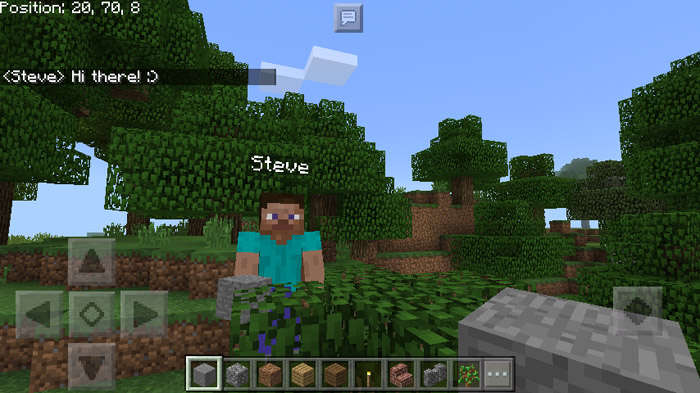
About ChatCoords Resource Pack
This add-on is made for the Classic UI (Windows 10 / PC). It also works for the Pocket UI in creative mode but not so well for survival/adventure mode since the coords are covered up by the health bar. Coordinates have become an important feature for a lot of players as it allows for better world navigation. The benefit for this particular add-on is that the coords are always in the visual field of the eye and never covered by your fingers. It also have less warnings than the NextLevel Addon.
Creators: RoboBro2002 (Twitter), CtrlAltCuteness (Twitter)
How does it work? The coordinates are displayed in the top left corner. Here they will always be visible (at least for Windows 10 users). However, if you are using a mobile device then it’s only usable in creative mode since in survival mode it will be covered up by the health bar.
Installation Important: This add-on was created for the Classic UI and version 1.1. It might not work for older Minecraft versions. It will also work for the Pocket UI, but only in creative mode.
How to install ChatCoords Resource Pack
- Download the .mcpack file using the button on this page.
- Open the downloaded file with Minecraft Bedrock Edition.
- Wait for Minecraft to confirm that the import has completed.
- Activate the imported pack in the world settings.
- Back up important worlds before installing community content.
Download ChatCoords Resource Pack Textures for free


