
About Block-Geo Fixer
Created By TazaMakeThings
- Remember to put the add-On Above from all to work!
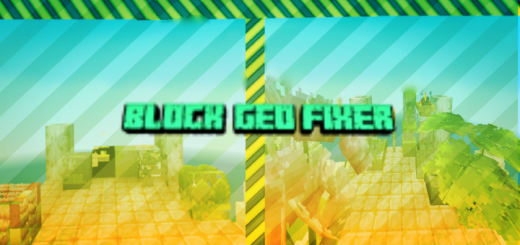
Are you tired that of errors in the textures of blocks more than 1:1? Well not anymore! Because this little Add-On fixes custom blocks bigger or taller than 1:1! so you will see many add-ons will work again!
due to 1.18.10 you can no longer create custom blocks more than 1:1 due to "engine limitations" limiting many creators and causing bugs that break the game. But this module break That limit and fixes that! Here a example.
Block-Geo Fixer screenshots


How to install Block-Geo Fixer
- Download the .mcpack file using the button on this page.
- Open the downloaded file with Minecraft Bedrock Edition.
- Wait for Minecraft to confirm that the import has completed.
- Activate the imported pack in the world settings.
- Back up important worlds before installing community content.
Download Block-Geo Fixer (1.18, 1.19) Gameplay for free
Preparing your download…
If the download did not start automatically, click here.


