
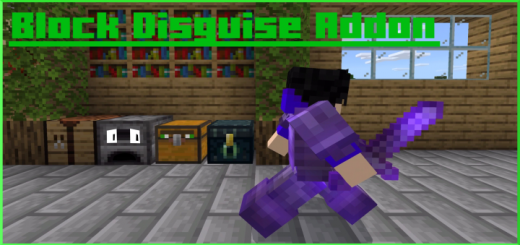
About Block Disguise
Have you ever wanted to disguise or morph as a block, but camouflage skins weren’t good enough? Well this is the addon for you! A special perk is that if you stand still for 3 seconds, you will become completely hidden as a block! The morphs are also craftable.
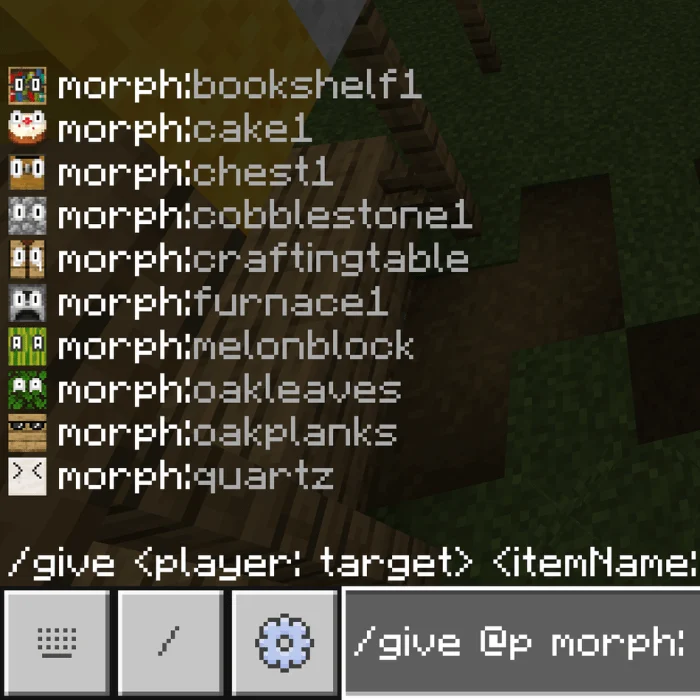
How to obtain – The first method is to use /give
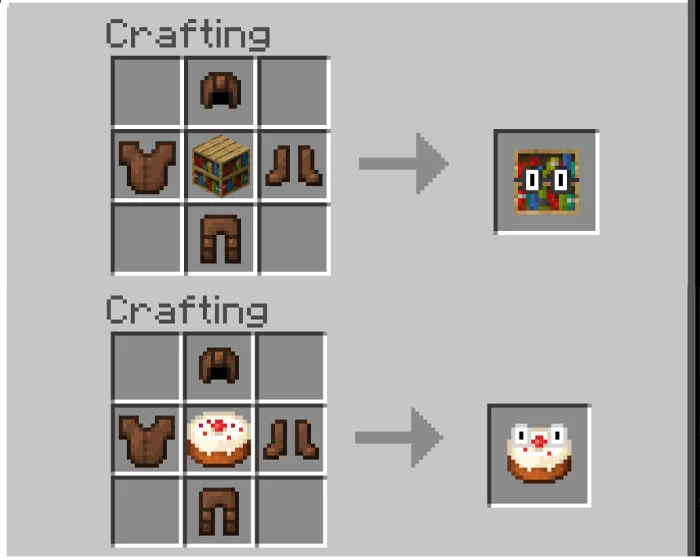
The second method is to craft it: place the block you want to morph as in the middle (currently there is 15), and put leather armor around it (the order of the leather armor doesn’t matter).
Blocks you can morph as
Crafting Table Furnace Chest Bookshelf Oak Planks Cobblestone Quartz Block Oak Leaves Melon Block Cake Diamond Block Iron Block TNT Ender Chest Hay Block How to use – Equip the block morph like a piece or armor by holding it in your inventory. Once you equip the morph, you will look exactly like a block, to be hidden as a block, stand still for about 3 seconds.
Block Disguise screenshots
How to install Block Disguise
- Download the .mcaddon file using the button on this page.
- Open the downloaded file with Minecraft Bedrock Edition.
- Wait for Minecraft to confirm that the import has completed.
- Activate the imported pack in the world settings.
- Back up important worlds before installing community content.
Download Block Disguise (1.16) Player for free


