
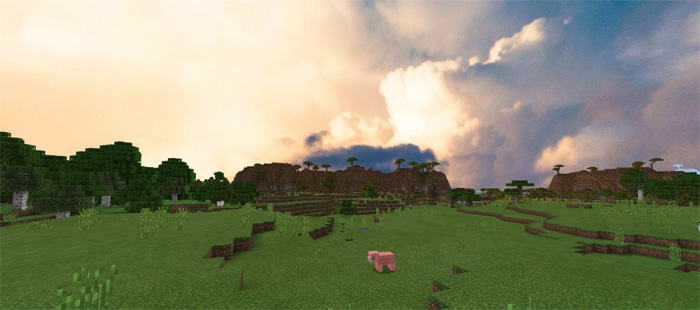
About Beautiful Cubemaps Pack
This texture pack changes the look of the skybox by making it more realistic. It basically replaces the entire sky with a much more realistic image. However, it’s by no means perfect. For example, nothing in the sky will be moving. It will all just be completely still. This makes it a good pack for screenshots but maybe less so for normal gameplay usage.
How to install Beautiful Cubemaps Pack
- Download the .mcpack file using the button on this page.
- Open the downloaded file with Minecraft Bedrock Edition.
- Wait for Minecraft to confirm that the import has completed.
- Activate the imported pack in the world settings.
- Back up important worlds before installing community content.
Download Beautiful Cubemaps Pack Textures for free
Preparing your download…
If the download did not start automatically, click here.


