
About BeaconPlay UI Pack (UI Twist)
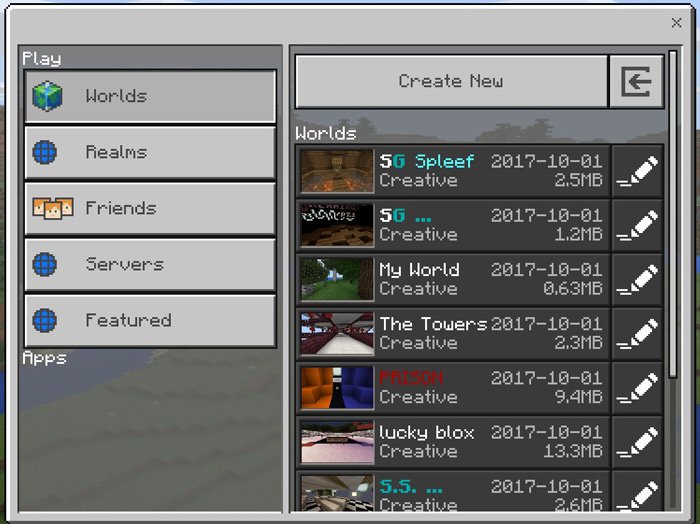
This is a simple resource pack which changes some things for the play menu user interface to make it look more like the settings interface. If you are after a more clean and obvious design then perhaps this is something for you. There are basically five different menu buttons which you’ll be able to use to access both single and multiplayer games.
Creator: bleonard252, Website
Features Five sections to access single and multiplayer games Featured servers use less cluttered space Clusters Realms on one screen (displaying your Realms first) Some background code for BeaconPlay Apps (future updates)
How to install BeaconPlay UI Pack (UI Twist)
- Download the .mcpack file using the button on this page.
- Open the downloaded file with Minecraft Bedrock Edition.
- Wait for Minecraft to confirm that the import has completed.
- Activate the imported pack in the world settings.
- Back up important worlds before installing community content.
Download BeaconPlay UI Pack (UI Twist) Textures for free
Preparing your download…
If the download did not start automatically, click here.


