
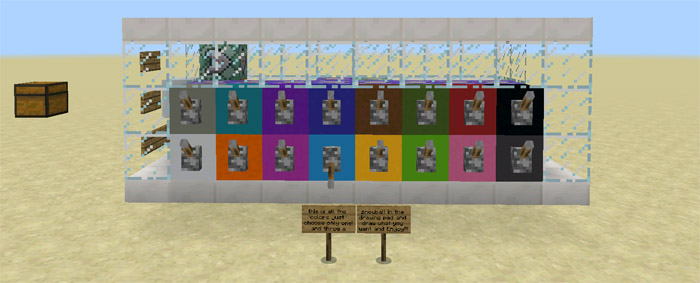
About Basic Paint (1.1.0.9+ Only)
This is a really cool command block creation for anyone who likes to paint. It works much similar to MS Paint in that sense that you will be able to select among a wide range of colors and then use a paint brush to paint. However, it can sometimes be a little bit tricky seeing as you need to throw the paint at the canvas (similarly to throwing snowballs) and sometimes you might miss.
Creator: Jhomes How does it work? Press the button on the side of the command block creation to spawn the chest which contains the three different paint tools.
Paint Brush Spawn Canvas Remove Canvas Then make sure to select a color for the paint brush.
Use the Spawn Canvas item by tapping on the ground anywhere that you want to spawn it. Then use the paint brush similarly to throwing a snowball to splash some paint on the canvas. You can return to the command block creation at any time to select a new color. Just make sure not to forgot to disable the previous color.
Important: This map is limited to 1.1.0.9 beta users only.
How to install Basic Paint (1.1.0.9+ Only)
- Download the .zip file using the button on this page.
- Open the downloaded file with Minecraft Bedrock Edition.
- Wait for Minecraft to confirm that the import has completed.
- Select the imported world from the Minecraft world list.
- Back up important worlds before installing community content.
Download Basic Paint (1.1.0.9+ Only) Redstone for free


