
About Art enthusiasm
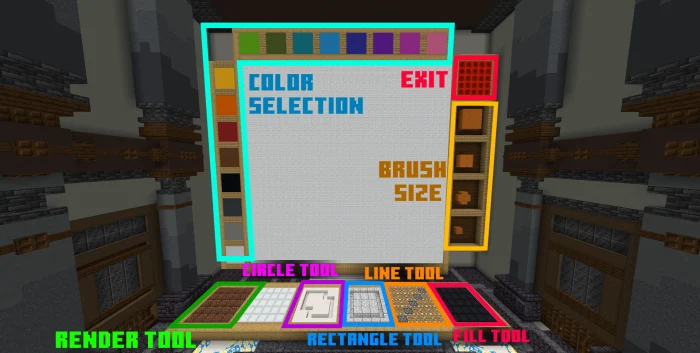
Introducing an exciting array of fresh tools and a vibrant spectrum of new colors has just become available!
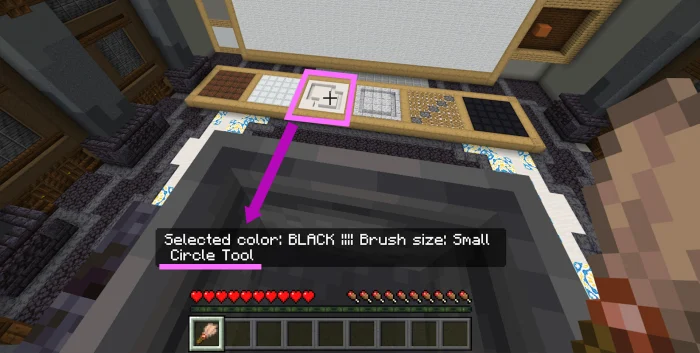
"Tool preview" is also added! You can see what tool the cursor is hovering on! Let's see how to use the new tools!
The fill tool works just like the reset tool, but instead fill the whole canvas with White color, it will fill whatever color is being selected by the brush!
Art enthusiasm screenshots
How to install Art enthusiasm
- Download the .mcaddon file using the button on this page.
- Open the downloaded file with Minecraft Bedrock Edition.
- Wait for Minecraft to confirm that the import has completed.
- Activate the imported pack in the world settings.
- Back up important worlds before installing community content.
Download Art enthusiasm (1.20) Tools for free
Preparing your download…
If the download did not start automatically, click here.


