
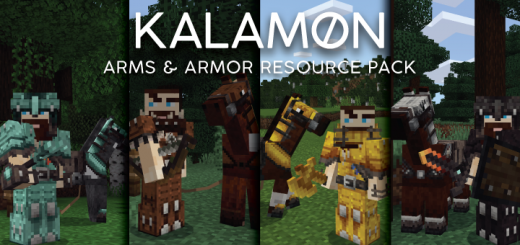
About Arms & Armor
This "Arms & Armor" resource pack is a modern adaptation of the traditional Minecraft textures. I've drawn inspiration from other fantasy worlds to provide textures with greater detail that will still look good in your Minecraft worlds. I've only included textures for tools, weapons and armor which should allow you to easily pair it with another block-focused pack of your choosing.
Arms & Armor screenshots


How to install Arms & Armor
- Download the .mcpack file using the button on this page.
- Open the downloaded file with Minecraft Bedrock Edition.
- Wait for Minecraft to confirm that the import has completed.
- Activate the imported pack in the world settings.
- Back up important worlds before installing community content.
Download Arms & Armor (1.16) Top for free
Preparing your download…
If the download did not start automatically, click here.


