About TDPE Shaders
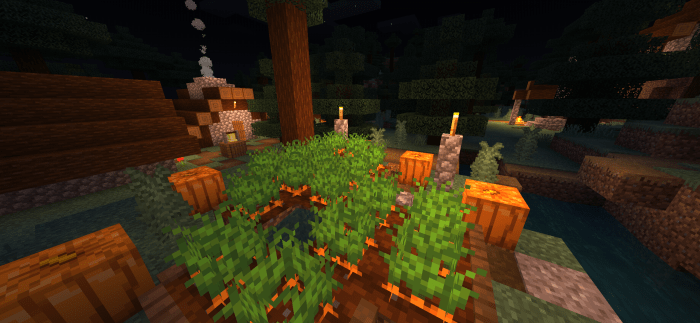
TDPE Shaders is a Shader pack for Minecraft PE that aims at making the graphics of the game more realistic and beautiful. This shader improves numerous graphical aspects of the game, but if you don't like any of the features, you can turn them off using shader settings.
Features
Water Waves Underwater distortion Underwater Effect Underwater Sun beams Sun beams Sun Reflection Player Shadow Shader Settings (which can be found in TDPE Shaders/shaders/glsl/Shader_Settings/shadersettings.h)
TDPE Shaders screenshots


How to install TDPE Shaders
- Download the .mcpack file using the button on this page.
- Open the downloaded file with Minecraft Bedrock Edition.
- Wait for Minecraft to confirm that the import has completed.
- Activate the imported pack in the world settings.
- Back up important worlds before installing community content.
Download TDPE Shaders (1.16) for free
Preparing your download…
If the download did not start automatically, click here.