
About Simple Anti Cheat
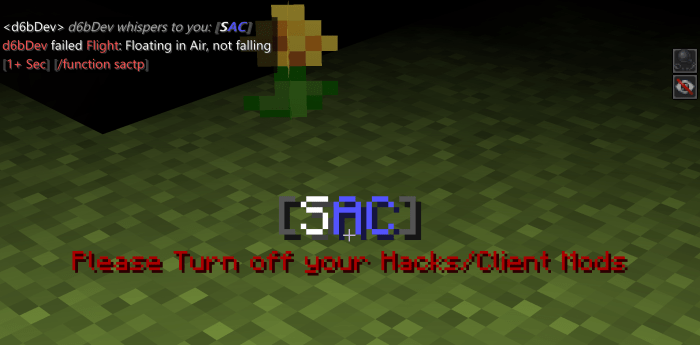
Simple Anti Cheat [SAC] Has a lot of Features to offer: Fight Back Hackers with Multiple Cheat Detections And other Useful Features
Easy Installation, No Setup Required: Just Install SAC to your world and your ready to go! If you see a Message in Chat, that means it installed Successfully. If not, try reinstalling it and make sure its at the Top of all Behaviour Packs in the World.
Speed: Players Moving to Fast will automatically be „Flagged“ Back and Set off a Notification Fly: Fly Hackers will be pulled to the Ground and damaged
LiquidWalk/Jesus: Hackers can no longer Walk on Water and will just get pulled in.
X-Ray: You will be notified if a Player finds an unusual Amount of Ores (Diamond, Emerald, Iron or Gold).
Phase: Hackers won‘t be able to Phase through Blocks anymore.
Teleport: Hackers won‘t be able to teleport around.
KillAura/Aimbot [W.I.P.]: Detects KillAura and Aimbot and damages the Player.
Ban & Kick System: Players can be easily banned or kicked by using /tag (player) add Kick to Temporarily Kick a Player or /tag (player) add PermBan to Permanently Ban a Player
Excellent Notifications: /function notify/on To be notified about everything: Players Hacking, Players Changing their Gamemode, Even Players being Banned
/tag (player) add info will Grant you with all Informations about that Player SAC Has Collected like all Violations (Cheat Detections), Gamemode, Movement, Exemptions, Bans, Sensitivity, etc.
/tag (player) add SpeedSens(1 | 2 | 3 | 4) – Changes the Sensitivity to trigger Speed Flags (The Higher the more Sensitive) – works with XRaySens, SpeedSens, FlySens & TPSens
Flagging People for their Hacks is now automatically turned off and has to be turned on manually using /function flags/on & /function flags/off (Flagging means e. g. Dragging/Pulling People back trying to speed, teleport or fly)
And lots more: /function help for more information about everything and more
How to install Simple Anti Cheat
- Download the .mcpack file using the button on this page.
- Open the downloaded file with Minecraft Bedrock Edition.
- Wait for Minecraft to confirm that the import has completed.
- Activate the imported pack in the world settings.
- Back up important worlds before installing community content.
Download Simple Anti Cheat (1.12, 1.14, 1.16) Gameplay for free


