
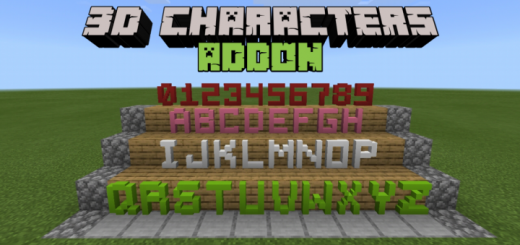
About 3D Characters
- Don't forget to enabled experimental gameplay option
Holiday Creator Features Additional Modding Capabilities
This addon added 3d block letters and numbers in the game, which you can use to make or design your structure with 3d Characters such as making words or placing number for decoration and labeling structures.
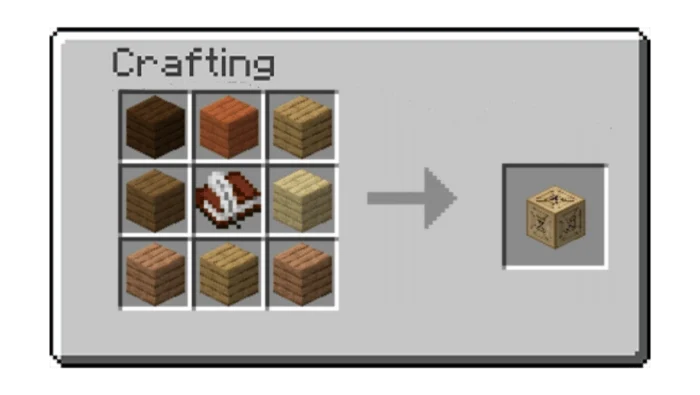
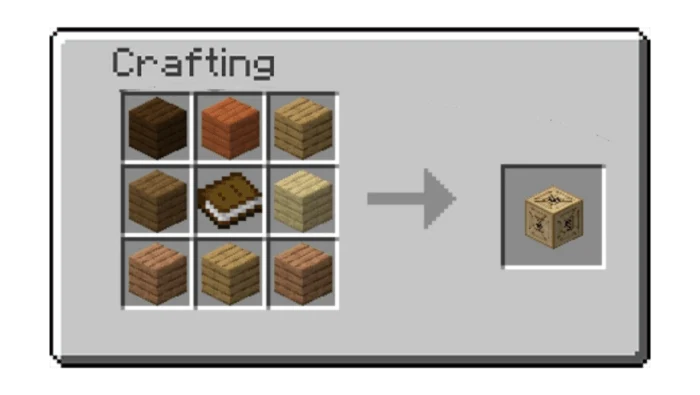
Getting all 3d block letters is easy, all you need to do is to craft Crate of Letters which can craft with any types of wooden planks surround in 1 Book & Quill in a crafting table.
This crate contain 3d block letters, place it to somewhere and destroy it, when destroyed it will drop all 3d blocks letters.
To get all number blocks is same as getting letter blocks, craft Crate of Numbers to get them.
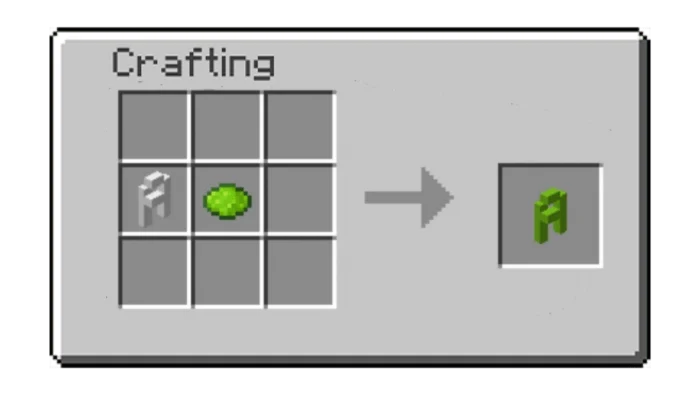
Crates drop white letters/numbers, to make different colors use dye and place them in crafting table.
3D Characters screenshots
How to install 3D Characters
- Download the .mcaddon file using the button on this page.
- Open the downloaded file with Minecraft Bedrock Edition.
- Wait for Minecraft to confirm that the import has completed.
- Activate the imported pack in the world settings.
- Back up important worlds before installing community content.
Download 3D Characters (1.16) Decorations for free


