
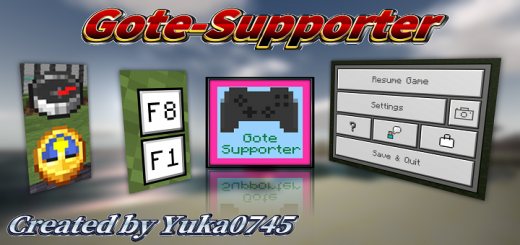
About Gote-Supporter
Created By Yuka0745
The Gote-Supporter will add various features that'll help you a lot!
Features
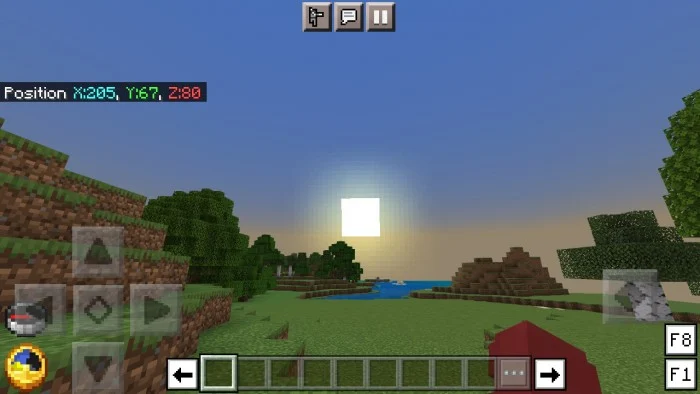
Better HUD Screen: A clock and a compass always. Colour-coded coordinates. F1 and F8 are also available for mobile devices. Disable the vignette. Disable pumpkin blur. Disabled the Spyglass overlay.(You can enable overlay on the Pack Settings.) Crash problem with the action bar fixed.
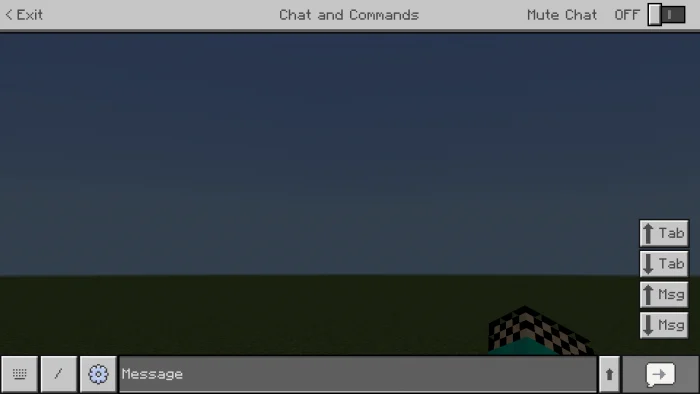
Better Chat Screen
Tab keys can be used on mobile devices. Press the arrow button to the right of the text box to make the text box larger. Re-added a toggle switch to mute.
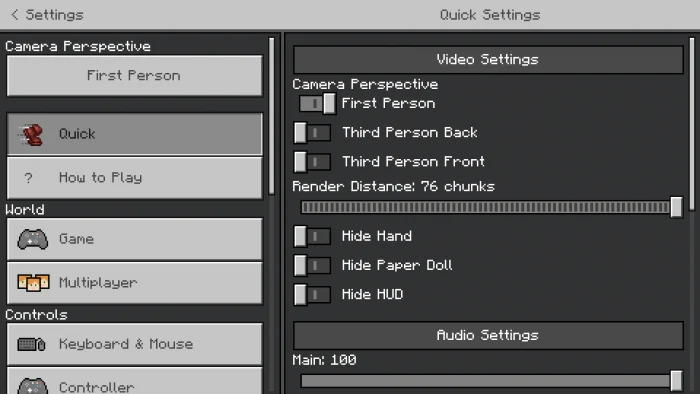
Better Settings Screen
The "Quick Settings" you can change configuration quickly. New video settings that can change "Max Framerate" and "Use VSync". Enable the touch control for Nintendo Switch players. Button-type Perspective change toggle for quick Perspective changes. You can export your world as a template You can change height and width of your screen ratio in the "Change Screen Safe Area". Mobile users can export their world. You can change the display language while playing the game.
Other Features Start Screen: The start menu displays "Exit the game" and "Achievements" buttons and your Gamerpic (Xbox).
Pause Screen
You access "Market Place" and "How to Play" via the Pause Screen. The pause menu displays the world name while showing scoreboards though. The pause menu lets the "Player Permissions" button is hidden while playing adventure mode although showing scoreboards. Taking screenshots in the local world. (The image will be saved in "games/com.mojang/Screenshots/".)
Inventory Screen
Always display HP bar, etc.
Anvil Screen
You can name items in the new lines using anvils.
Command Block Screen
You can type commands in the new lines using command blocks (only activates while you let the input field is enlarged).
Book & Quill Screen
Can be displayed in full screen. It comes with a scroll bar so you don't have to worry about it being too long.
Gote-Supporter screenshots
How to install Gote-Supporter
- Download the .mcpack file using the button on this page.
- Open the downloaded file with Minecraft Bedrock Edition.
- Wait for Minecraft to confirm that the import has completed.
- Activate the imported pack in the world settings.
- Back up important worlds before installing community content.
Download Gote-Supporter (1.16, 1.17, 1.18, 1.19) Gameplay for free


