

About Agamyst RE
Agamyst RE reinvents the look of your tools, from picks to bows and everything in between. Each tool is carefully designed to maintain the essence of Minecraft; Each tool now reflects the material it is made of, from the shine of diamond to the sturdiness of iron, including the color palette of each material. Plus, with enhanced 3D models for your tools, each element comes to life in a whole new way, providing a more immersive gaming experience.
Agamyst RE screenshots
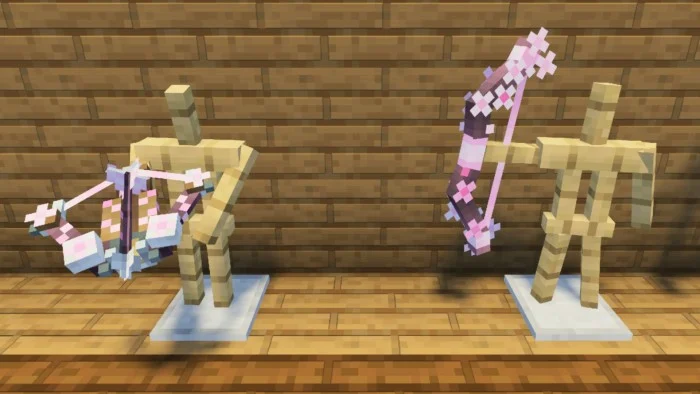
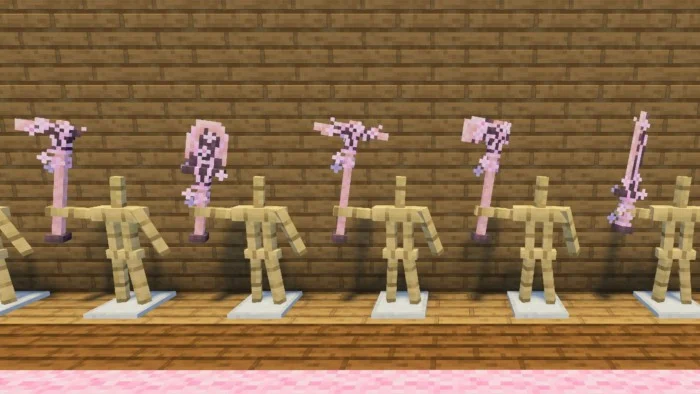
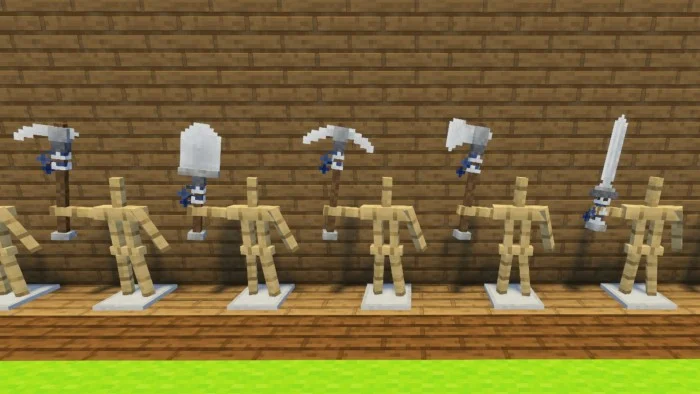
How to install Agamyst RE
- Download the .mcpack file using the button on this page.
- Open the downloaded file with Minecraft Bedrock Edition.
- Wait for Minecraft to confirm that the import has completed.
- Activate the imported pack in the world settings.
- Back up important worlds before installing community content.
Creator: IADhunter
Download Agamyst RE (1.20) Textures for free
Preparing your download…
If the download did not start automatically, click here.


