
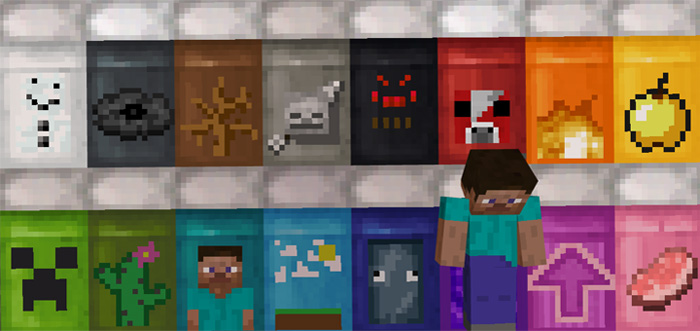
About Fancy Beds
Wouldn’t it be awesome if you could customize your bed in a similar fashion to customizing banners? This is a texture pack which experiments with that idea and replaces each bed in-game with a completely new and unique bed design. 16 beds give 16 different designs. It’s definitely a pretty cool concept!
Creator: JY GamingMC
As this is a texture pack it’s just the textures for the existing beds which have been modified and nothing else.
How to install Fancy Beds
- Download the .mcpack file using the button on this page.
- Open the downloaded file with Minecraft Bedrock Edition.
- Wait for Minecraft to confirm that the import has completed.
- Activate the imported pack in the world settings.
- Back up important worlds before installing community content.
Download Fancy Beds Textures for free
Preparing your download…
If the download did not start automatically, click here.


