
About Legacy Pack
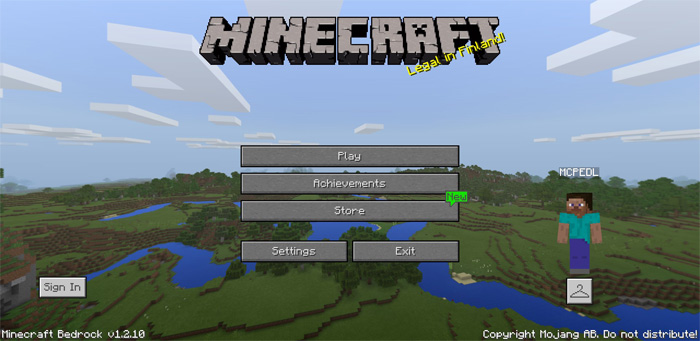
Legacy Pack is a new resource pack which main focus is on changing the way you experience Minecraft: Bedrock Edition, and to make it more similar to Java Edition. This is being done by changing the UI (user interface) graphics and textures to look more like Java. There are also changes being made to the sound to sound like those on Java. If you’re an old school Java player then this is a must-try if you’re playing Bedrock Edition.
All Features There are lots of other modifications included in this resource pack. Here’s a list of all things which have been modified.
General Water now looks more like Java Edition Removed mip map levels to make it feel more like Java Tweeked Sugar cane texture Added Boat sounds (paddle land and paddle water) Changed Rain sounds Added Squid Sounds (ambient.in.water, hurt.in.water and death.in.water) Added mob.slime.attack sound Added mob.magmacube.jump sound Tweaked Cauldron, Chests, Doors sounds User Interface New Inventory UI (creative, survival, crafting) New Start, Pause New Chat Screen New HUD New Progress Screen New Settings Sections New World Settings Sections New World Create Sections New World Edit Sections New Toast Screen
How to install Legacy Pack
- Download the .mcpack file using the button on this page.
- Open the downloaded file with Minecraft Bedrock Edition.
- Wait for Minecraft to confirm that the import has completed.
- Activate the imported pack in the world settings.
- Back up important worlds before installing community content.
Download Legacy Pack Textures for free


