
About JAVA Classic GUI
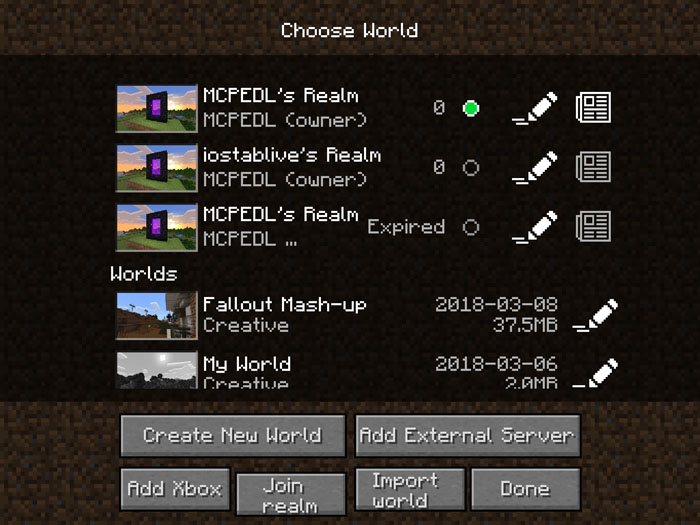
This pack transforms most of the user interface for Bedrock Edition to look more like Java Edition. As most of the existing screens have been modified it’s great if you’re looking for a more traditional UI design for Minecraft. However, some screens are still not changed, but some updates are in the works and hopefully those will help taking the pack to the next level.
Creator: tcbdxh
Features Here’s a list of all screens / controls which are affected by this resource pack.
Start Screen Play Screen World Templates Screen Progress Screen Add External Server Screen Achievement Screen In Bed Screen Death Screen Skin Picker Screen Button Dialog Toggle Option Future Updates settings_screen store_screen Important Notes This UI is only optimized for English, Simplified Chinese and Traditional Chinese. Other languages will only display English. You’re welcome to make language packs. You can send them to the creator via Twitter. This pack might only support support 1.2.5-1.2.10
How to install JAVA Classic GUI
- Download the .mcpack file using the button on this page.
- Open the downloaded file with Minecraft Bedrock Edition.
- Wait for Minecraft to confirm that the import has completed.
- Activate the imported pack in the world settings.
- Back up important worlds before installing community content.
Download JAVA Classic GUI Textures for free


