
About PEWin10LookJavaPC
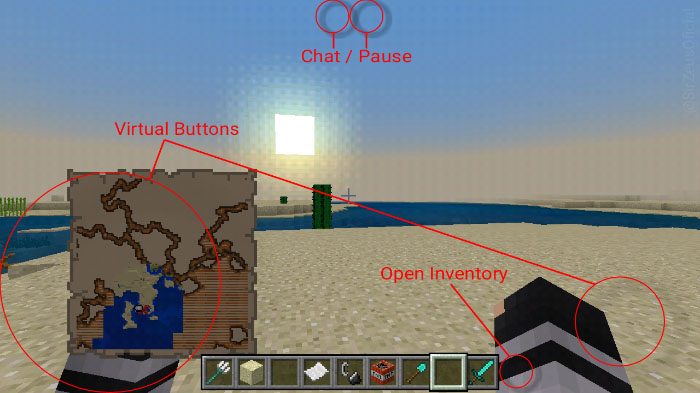
This resource pack modifies the user interface (UI) of Minecraft for mobile devices and Windows 10 in order to create a UI similar to that of Minecraft: Java Edition. Most changes are minor, but it will make your game more like Java Edition. For example, the open inventory button on the right side of the hotbar is turned invisible.
Creator: Alex-SirZeus
Features Hotbar with opacity similar to Java Edition Virtual locomotion buttons are now invisible Open inventory button is invisible Pause and chat buttons are invisible
How to install PEWin10LookJavaPC
- Download the .mcpack file using the button on this page.
- Open the downloaded file with Minecraft Bedrock Edition.
- Wait for Minecraft to confirm that the import has completed.
- Activate the imported pack in the world settings.
- Back up important worlds before installing community content.
Download PEWin10LookJavaPC Textures for free
Preparing your download…
If the download did not start automatically, click here.


